An AI Knowledge Hub for Agricultural Decisions
Sowing data, harvesting decisions: a design story of AI in agriculture.
When critical agricultural knowledge lives across disconnected documents, every search becomes a delay. This case study details how we designed an AI‑powered Knowledge Hub, grounded in retrieval‑augmented generation (RAG), built for role‑based control, and adapted for web and mobile - to help admins, agronomists, and farmers find answers they can trust.
Time Period
3 Months, 2025-26
Role
Lead Product Designer (Individual Contributor)
Team
1 Product Manager, 1 Backend Engineer, 3 Frontend Engineers (Web & Mobile), 1 Data Scientist, 2 QA
Responsibilities
Project Lead
Product & Design Strategy
AI Experience Design (RAG-based Systems)
Stakeholder Management
UX Research & Insight Synthesis
Interaction Design & System Flows
Cross-platform Design (Web & Mobile)
Prototyping & User Testing
Outcome
Launched as a beta feature; reduced procedural support queries by ~40%; established a reusable AI knowledge layer across web and mobile experiences.

Context & The Problem
The Field
Cropin is an AI-powered agriculture platform used by enterprises to manage agricultural operations across global supply chains. Its ecosystem spans Cropin Cloud (web) and mobile apps like Grow and Connect, serving agronomists, field agents, and farmers—making access to timely, reliable knowledge critical for decision-making.
Cropin’s ecosystem already held rich knowledge - SOPs, Package of Practices (PoPs), compliance manuals, HR policies, crop advisories, and internal guides. The issue wasn’t the absence of knowledge, but the friction in finding, trusting, and using it at the right moment.
" Field agents were calling supervisors mid-visit to ask questions that were already answered somewhere in a 40-page SOP document. That time cost money and trust. "
The discovery began with a pattern observed across customer success calls and support tickets: users across all three platforms were losing productivity trying to locate procedural knowledge. The question that surfaced was deceptively simple:
" What if the platform could answer questions from its own knowledge - contextually, instantly, and in any language? "
How we discovered the opportunity
Support Data
Recurring questions
Customer success logs showed 40%+ of tickets were procedural questions already documented internally.
Customer Interviews
Validation conversations
Spoke to 8+ enterprise customers across India, US, and Europe. Common theme: knowledge access was a bottleneck at the last mile.
Tech Exploration
POC with RAG
Backend team prototyped RAG integration with Cropin's document corpus. The quality of responses validated the concept quickly.
Pain Points
Manual Search
Users switching between massive PDFs and Cloud storage while in the field.
Expert Bottlenecks
Repeatedly asking internal experts for simple policy or advisory questions.
Memory Reliance
Making time-sensitive crop decisions based on memory rather than data.
The result: Delays, inconsistencies, and unnecessary dependency on human intermediaries.
From internal discussions and insights , the hypothesis emerged clearly:
" If we could unify knowledge into a conversational interface grounded in real data, we could reduce decision-making latency from hours to seconds. "
Problem Statement
Cropin’s knowledge ecosystem was rich but disconnected, creating friction between information availability and decision-making. Users could not reliably access, verify, or act on knowledge in time-critical scenarios, especially in field condition
Opportunity statement
Design an explainable AI-driven knowledge system that bridges this gap by making information accessible, verifiable, and actionable, while balancing enterprise control with field usability.
Design challenge
How might we design a trusted, explainable AI system that enables users to access the right knowledge at the right time, while balancing enterprise control and usability across platforms?
This reframed the problem from building a chatbot to designing a knowledge system.
Research
Cultivating Insights
We began with a deep‑dive discovery to validate the need and define the technical approach.
What we wanted to understand
What makes users trust AI‑generated answers?
How do RAG‑based systems express credibility?
How should AI behave differently in enterprise vs field contexts?
Where does configuration belong in the product ecosystem?
What interaction patterns feel natural on web vs mobile?
How to balance simplicity for end users with power for admins?
Three layers of research
Market Research
Technical Research
User Research
User Validation & Insights
To ground the concept in real needs, we conducted validation conversations with users across segments - enterprise admins, agronomists, field agents, and farmers. These weren’t formal usability tests but exploratory discussions to understand trust, workflow, and expectations from an AI assistant.
Research methods
8 customer discovery calls (enterprise account teams + field ops)
4 on-site contextual observation sessions (field agents in Punjab, Karnataka)
3 agronomy team deep-dives (how they currently use SOPs)
Survey: 22 respondents across platform roles
Internal expert interviews: 2 agronomists, 1 domain SME
What we wanted to learn
How do users currently find knowledge during their workflow?
What's the moment of highest friction / need?
How much do users trust AI-generated answers?
What languages do field users operate in?
How literate are users with chat interfaces?
What users told us
“ I have 24 SOPs for 10 different crops. I know the data exists, but I can’t find it during a field visit. ”
Agronomist
“ I don’t care how smart the AI is, if it can’t show me the document it’s quoting from, I won’t risk my crop on its advice. ”
Agronomist
“ In the field, my hands are busy. I can’t type complex queries. I need to talk to the app like I talk to my supervisor. ”
Field Agent
“ Typing is hard in the field. I prefer to speak or get quick card‑based suggestions. ”
Farmer
“ If we deploy this, I need to control exactly which datasets the AI can see. ”
Admin
“ We need to ensure a field agent can’t access HR payroll data or sensitive compliance files via the AI. ”
Admin
Synthesizing the insights
Across all conversations, three dominant themes emerged:
From Insights to Personas
The validation conversations shaped four distinct personas - each with a unique relationship to the system, context of use, and emotional drivers.

Admin
Role
Governs and configures
Core Need
Control over datasets, roles, and assistant behavior
Context of Use
Office / Desktop
Emotional Need
Control and transparency

Field Agent
Role
Acts on advice
Core Need
Voice‑first, task‑focused answers
Context of Use
Field / Mobile
Emotional Need
Speed and reliability

Agronomist
Role
Analyzes and validates
Core Need
Fast, source‑backed answers with verification
Context of Use
Field / Mobile
Emotional Need
Precision and verification

Farmer
Role
Seeks practical guidance
Core Need
Simple, localized, low‑friction answers
Context of Use
Field / Mobile
Emotional Need
Support and clarity
Each persona demands a different expression of the same underlying intelligence layer. These divergences became the anchor of our design strategy, ensuring the system adapts to the user, not the other way around.
Research insights
Trust is not created by intelligence alone. Users need to verify. Confidence without evidence feels risky.
Citations are not secondary UI. The source must be visible, highlighting the exact snippet helps users bridge AI output and original document meaning.
Enterprise users need control, not just convenience. Admins wanted control over knowledge bases, roles, thresholds, model settings, and outputs. AI configuration itself became a product experience.
Context changes the interface. A admin in Cropin Cloud and a farmer / field agent in Connect / Grow cannot have the same AI experience. Field conditions require lower interaction effort.
RAG is powerful, but invisible unless surfaced well. Good AI infrastructure still needs clear UI translation.
Definition & Strategy
Laying the Groundwork for the Solution
Problem Framing - How Might We ?
Synthesizing user validation and technical exploration led to a single guiding question: How might we design an AI assistant that is
Trustworthy
(explainable, source‑backed)
Context‑aware
(grounded in agricultural domain knowledge)
Accessible
(usable by farmers and field agents in real conditions)
Controllable
(enterprise‑grade configuration and governance)
This HMW statement became the north star for every design decision that followed.
Goals: Aligning Design, Product, and Business
Before a single wireframe was drawn, we aligned on what success looks like – for users, for the platform, and for the business.
UX Goals
Product Goals
Business Goals
Zero‑learning entry – familiar chat patterns.
Reusable knowledge architecture – datasets power multiple assistants.
Differentiate Cropin in AgTech AI market.
Source transparency – citations with every answer.
Admin configurability – datasets, roles, RAG params, models.
Enable upsell – “Bring Your Own Knowledge” as enterprise tier.
Cross‑language – ask in your language, get answers in yours.
Multi‑use case support – SOPs, crop practices, HR, all in one engine.
Reduce CS costs – fewer repetitive queries to human support.
Low cognitive load in field – mobile‑first, voice priority.
Explainability by design – citations as part of every answer.
Customer lock‑in – proprietary knowledge integrated into platform.
Empathetic tone – supportive, clear, never clinical.
Deflect support tickets – self‑service for routine queries.
Validate LLM cost model – understand token usage & ROI.
Faster answers – from minutes of searching to seconds.
Increase session depth – find answers faster, stay longer.
Strengthen AI positioning – credible as AI‑first agtech.
Discoverable AI – assistant personas clarify scope.
Unified knowledge layer across Cloud, Grow, Connect.
Boost platform stickiness – self‑service intelligence keeps users inside.
One intelligence layer, tailored interfaces.
Beta in 8 weeks – phased rollout.
-
User Goals - What Success Looks Like for Each

Admin Goals
Create Knowledge datasets
Upload and manage documents
Configure assistants
Control visibility by role
Monitor usage and cost
Reduce support dependency

Field Agent Goals
Get clear answers during action
Reduce need to call someone for every uncertainty
Use assistant in real environmental constraints

Agronomist Goals
Ask crop‑related questions quickly
Retrieve SOPs or advisories with confidence
Compare or validate information
Use AI as a research shortcut, not a replacement

Farmer Goals
Ask simply
Receive clear, understandable guidance
Trust that answer comes from approved knowledge
User Journeys - The Paths They Take




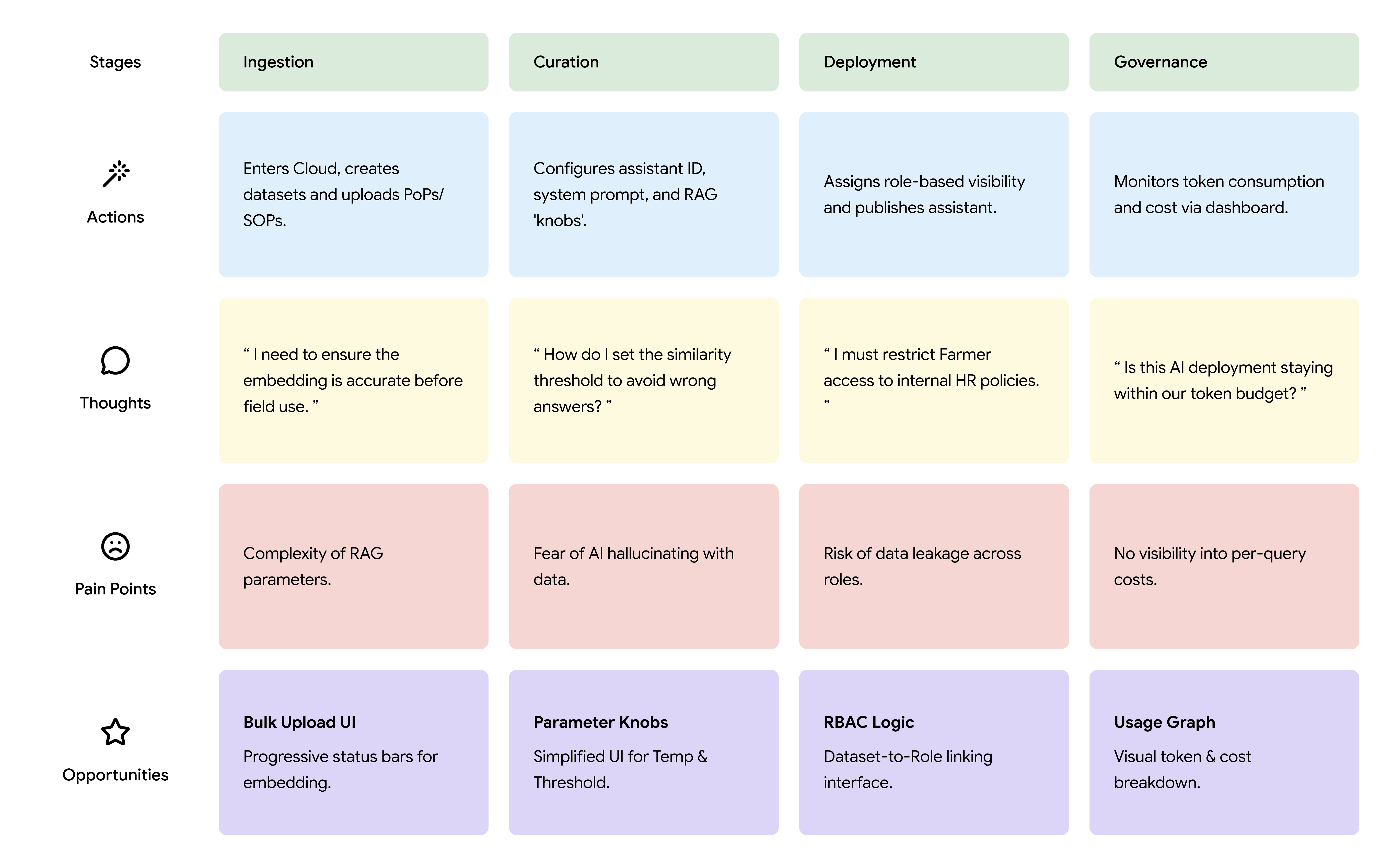
“Each key design decision in the product directly traces back to a user pain point identified in the journey mapping phase.”
Experience Architecture - Four Layers of Design
To manage complexity and enable reuse, we structured the system into four distinct layers:
Knowledge Layer
what it contains
Datasets (documents, embeddings)
Experience focus
Creation, upload, embedding status
AI Layer
what it contains
Assistant configuration (prompts, models, RAG params)
Experience focus
Parameter tuning, model selection
Interaction Layer
what it contains
Chat UI, voice, citations, history
Experience focus
Conversational experience, trust signals
Governance Layer
what it contains
Roles, permissions, cost & usage monitoring
Experience focus
Control, transparency, accountability
This layered architecture allowed us to:
Reuse the same knowledge datasets across multiple assistants
Swap or update AI models without rebuilding the UI
Apply governance consistently across all interactions
Design Principles We Committed To
To manage complexity and enable reuse, we structured the system into four distinct layers:
Principle
Meaning
Explainability > Intelligence
Users trust what they can understand. Citations and source snippets are mandatory.
Assist, don’t replace
AI is a co‑pilot. The final decision always rests with the human.
Design for lowest literacy
Simplify language, prioritize voice, reduce cognitive load.
Cross‑platform consistency
Same intelligence layer, but adapted interaction patterns for web vs mobile.
Human‑like but accountable AI
Tone is calm and professional; every claim is traceable.
Design
From Configuration to Conversation
Design Approach
We designed for two distinct contexts simultaneously:
Cropin Cloud (Web)
Primary Users
Admins, Agronomists
Design Focus
Knowledge, AI and Governance layer
Cropin Grow / Connect (Mobile)
Primary Users
Field Agents, Farmers
Design Focus
Interaction layer
The same RAG intelligence powers both, but the interface adapts to the user’s environment and emotional need.
Low-fidelity to High-fidelity process
Before writing a single line of production code, we validated the structure and flow.
Lo‑fi flows were created in Figma Make (through vibe coding) and reviewed internally in team critiques with the PM, backend lead, and two domain agronomists.
Focus areas: information architecture, terminology, and admin flow sequence.
After two rounds of iteration, high‑fidelity mockups were built in Figma - covering all states: empty, loading, populated, error, and multi‑assistant selection.
This iterative loop prevented late-stage surprises and kept the team aligned.
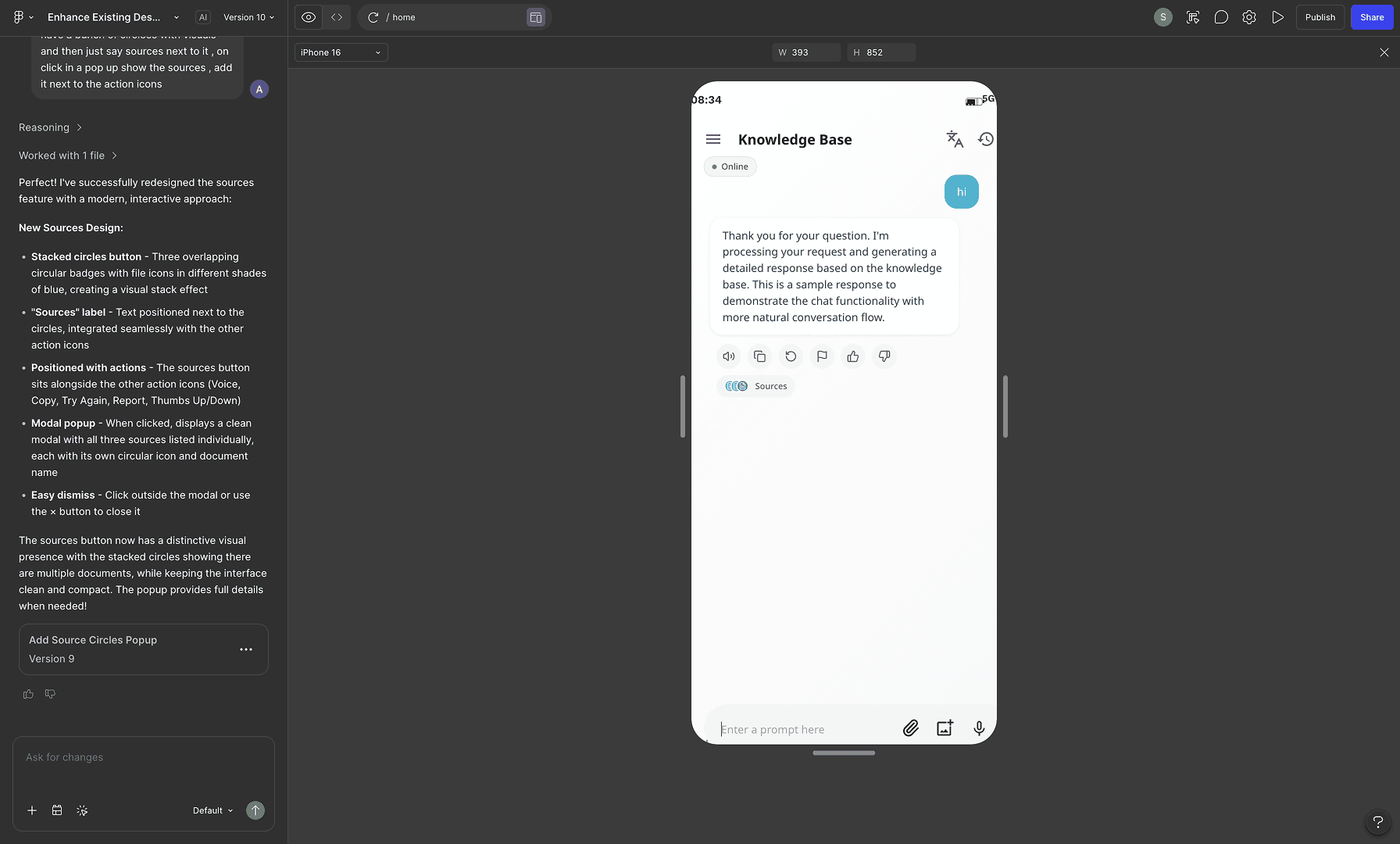
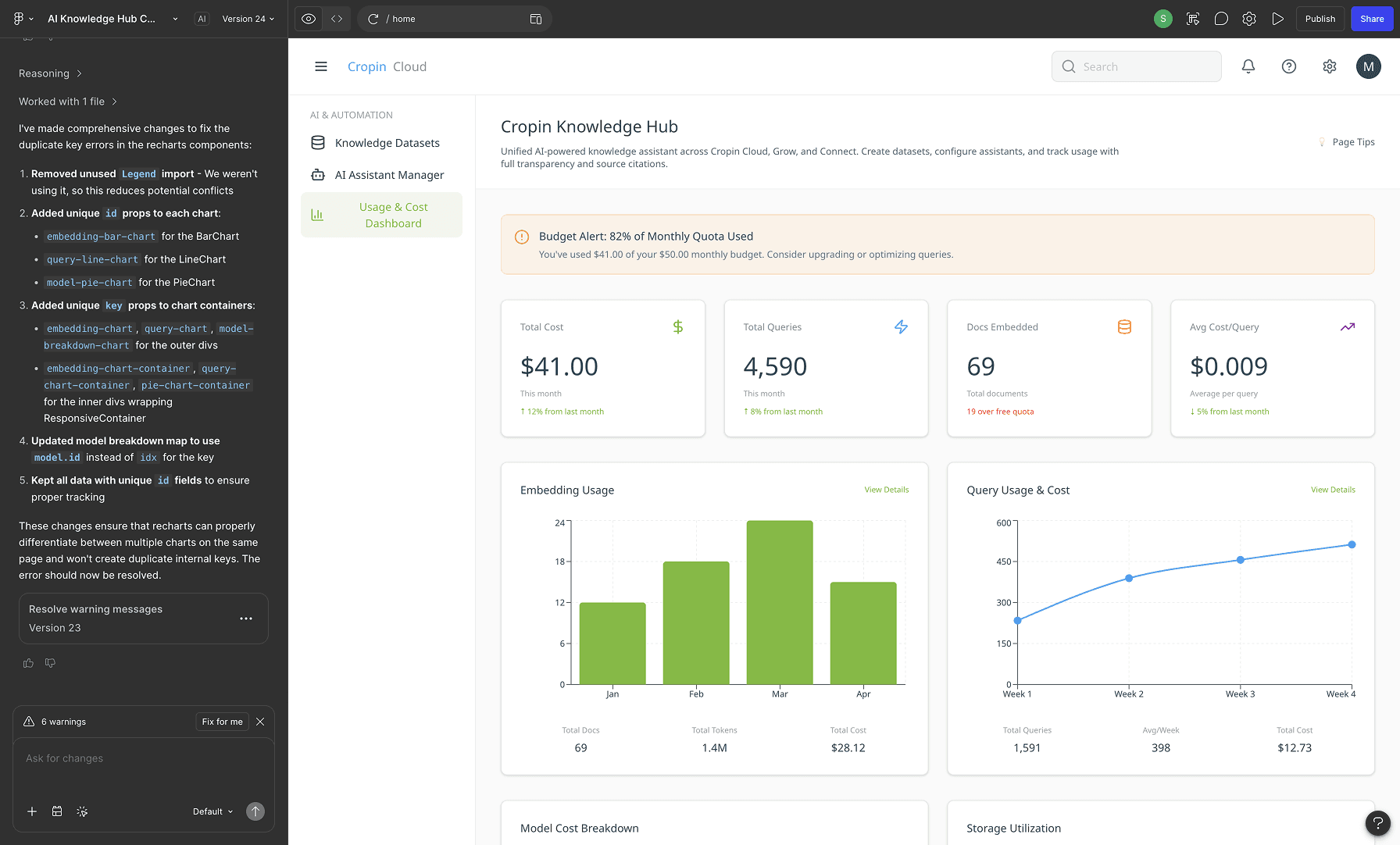
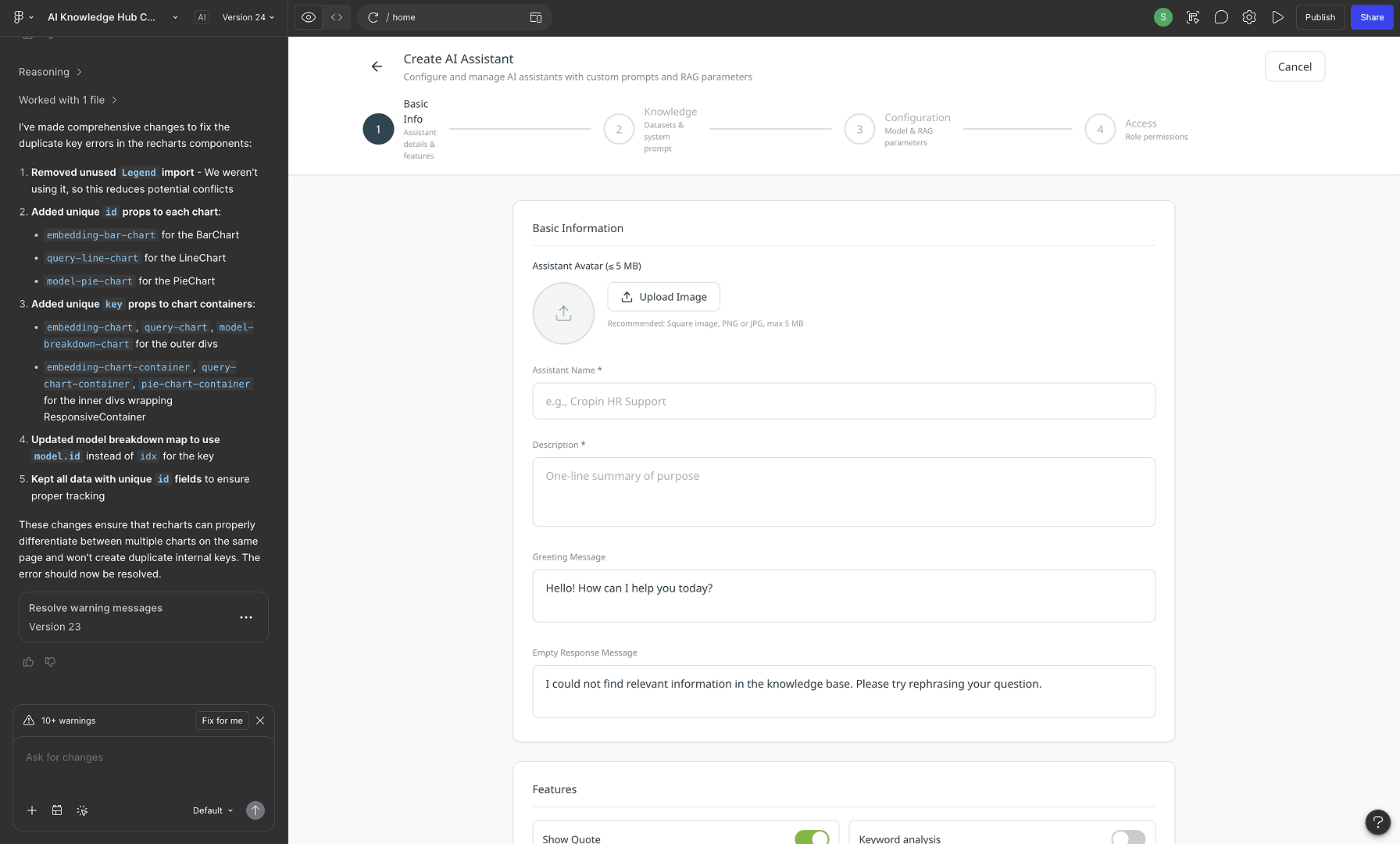
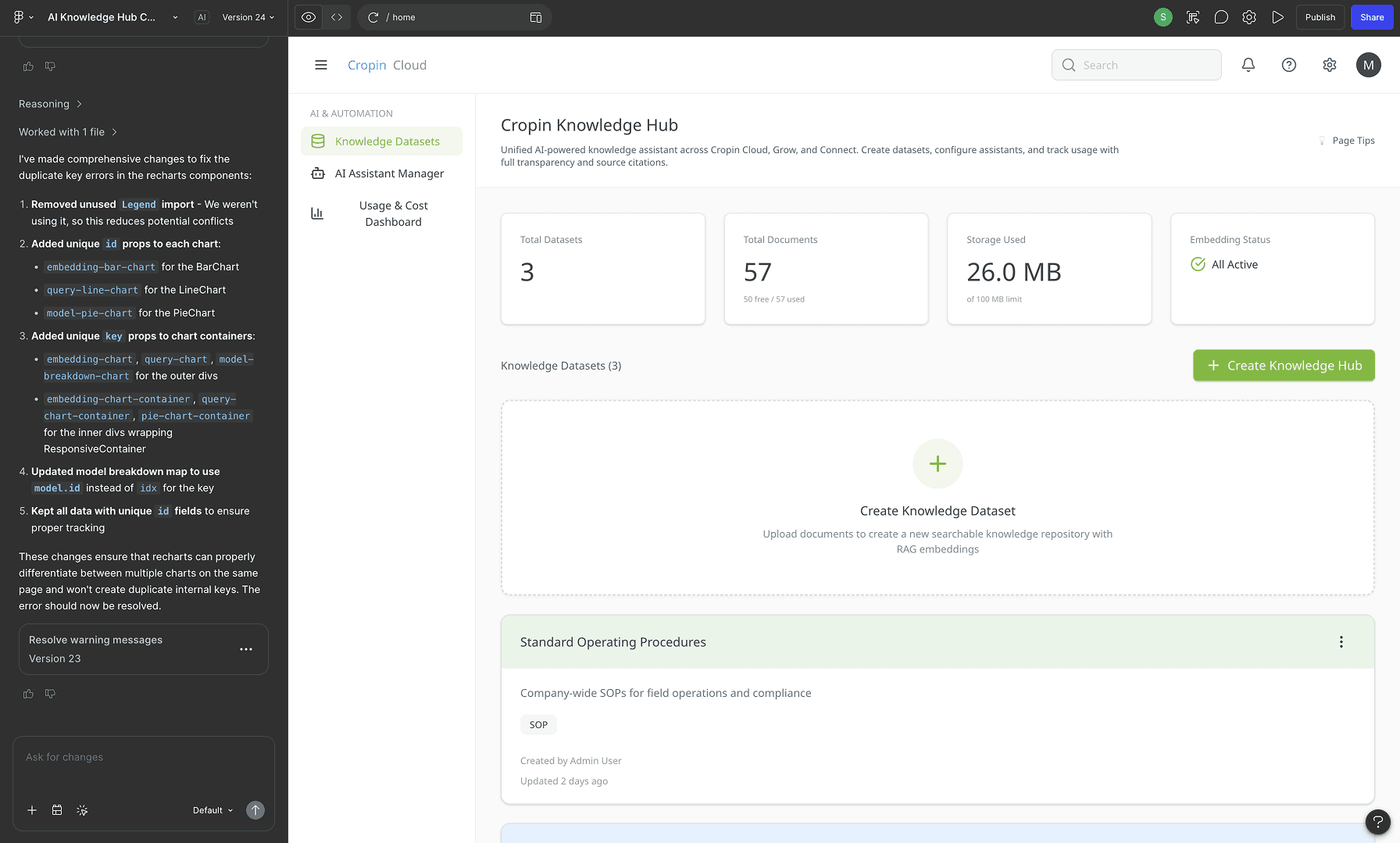
Low-fidelity prototypes made in Figma Make
Designing the Knowledge Layer – The Foundation
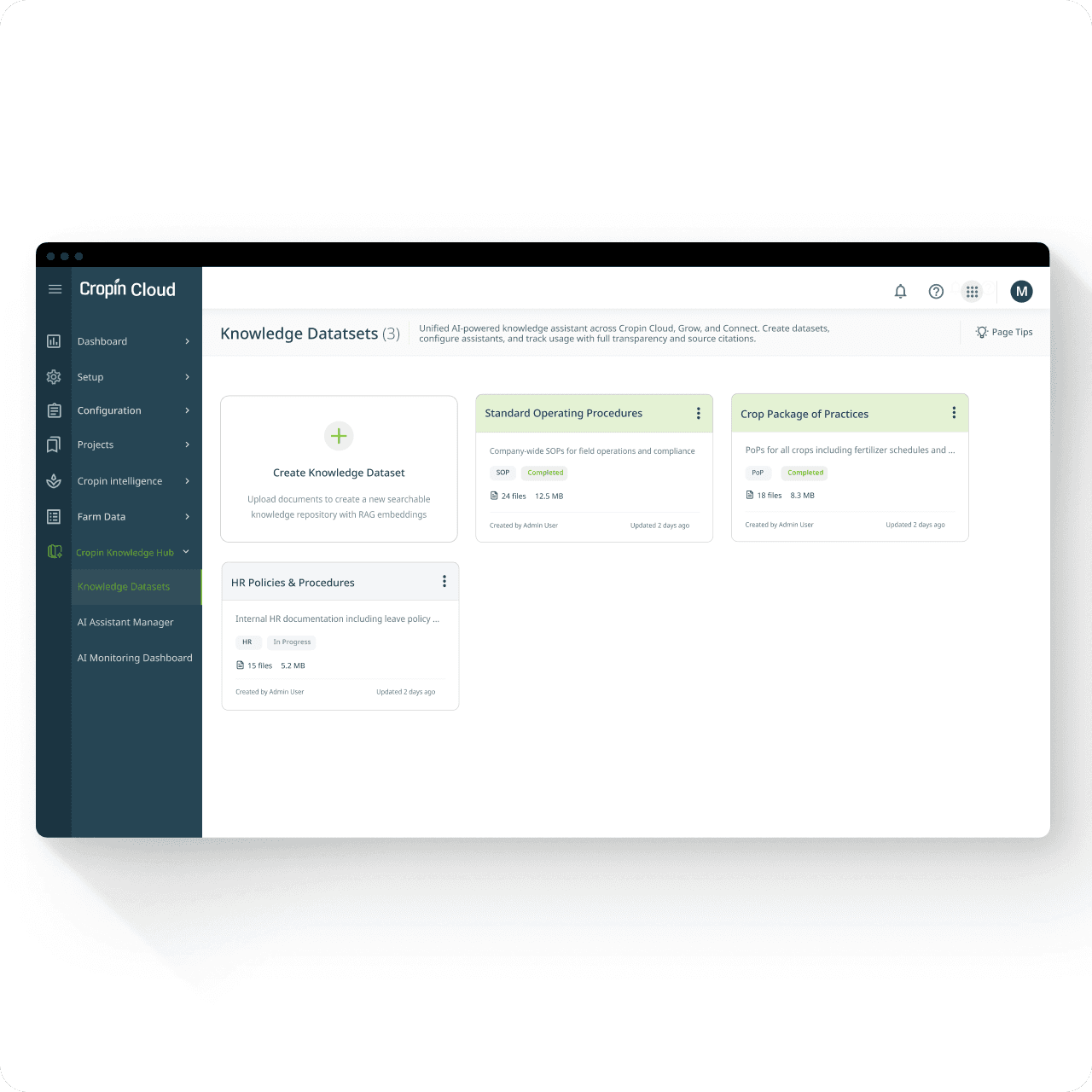
Before an assistant can answer questions, administrators must first structure trusted knowledge through reusable datasets. The creation flow was designed to make document onboarding fast, transparent, and scalable for enterprise teams.
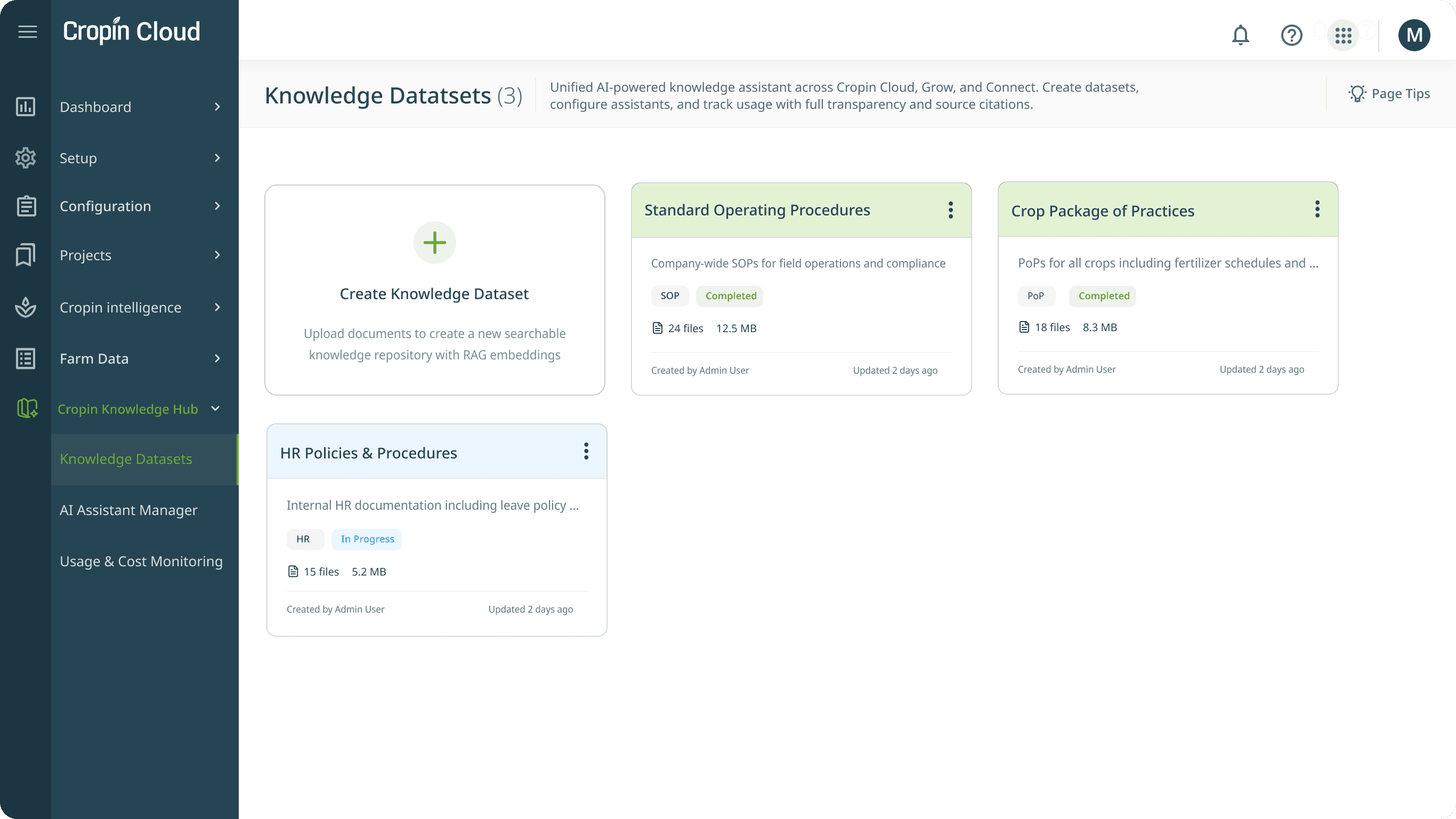
Knowledge Dataset
UI Breakdown
Card-Based Dataset Grid
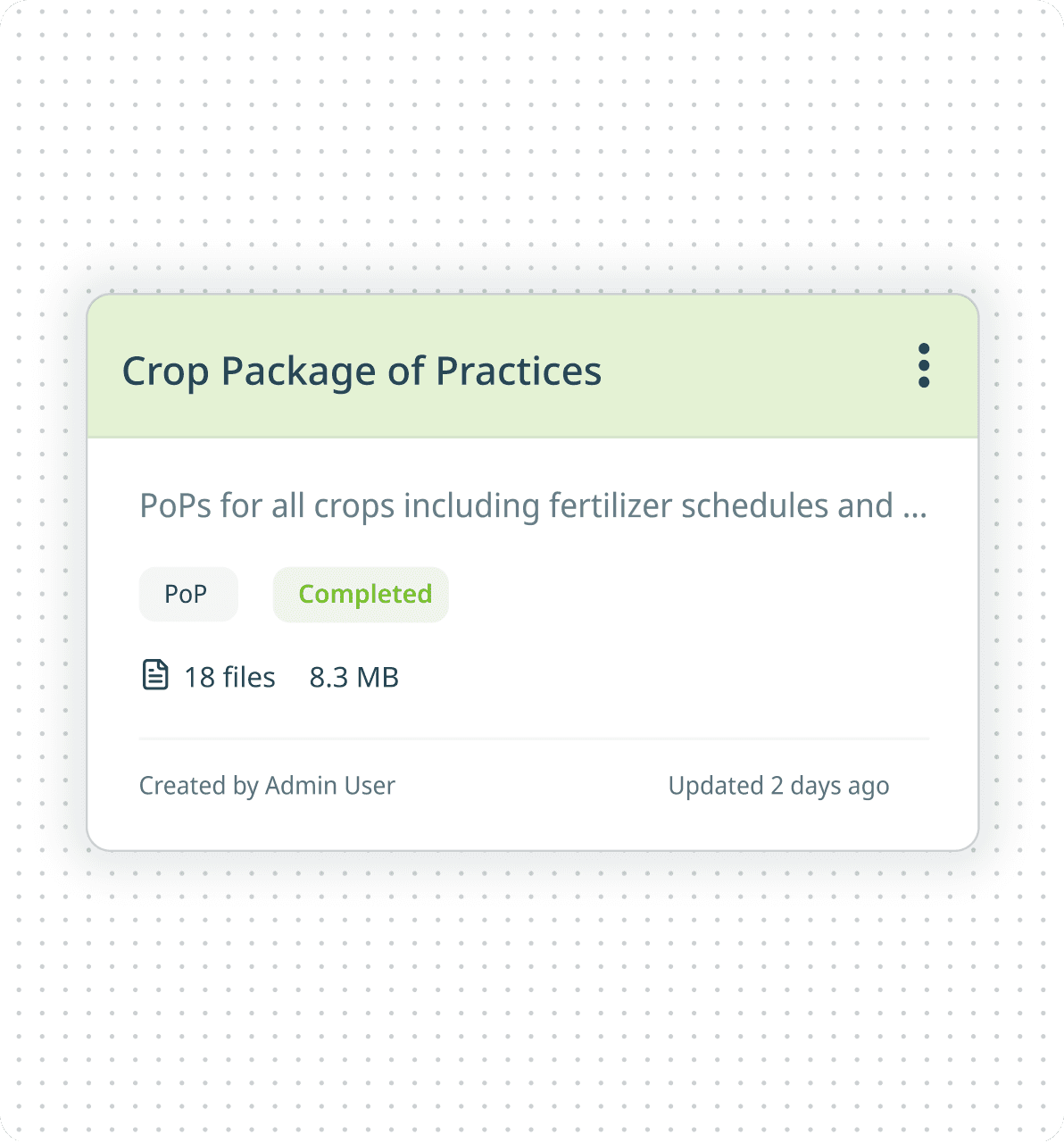
Datasets are presented as scannable cards with category, document count, storage size, status, and ownership details. This familiar card pattern improves discoverability while maintaining consistency with Cropin Cloud’s existing information architecture.
Create Dataset as First Card
Kebab Overflow Actions
Embedding Status Visibility
Dataset Metadata at a Glance
Key Design Decisions
Embedding Transparency - Users can clearly see when documents are being processed and embedded into the system, reducing the black-box nature of AI ingestion.
Reusable Knowledge Model - A single dataset (e.g., SOPs or Farming Guidelines) can be connected to multiple assistants, reducing redundancy and maintenance effort.
Operational Visibility - Important metadata is surfaced upfront so administrators can assess dataset health without opening details.
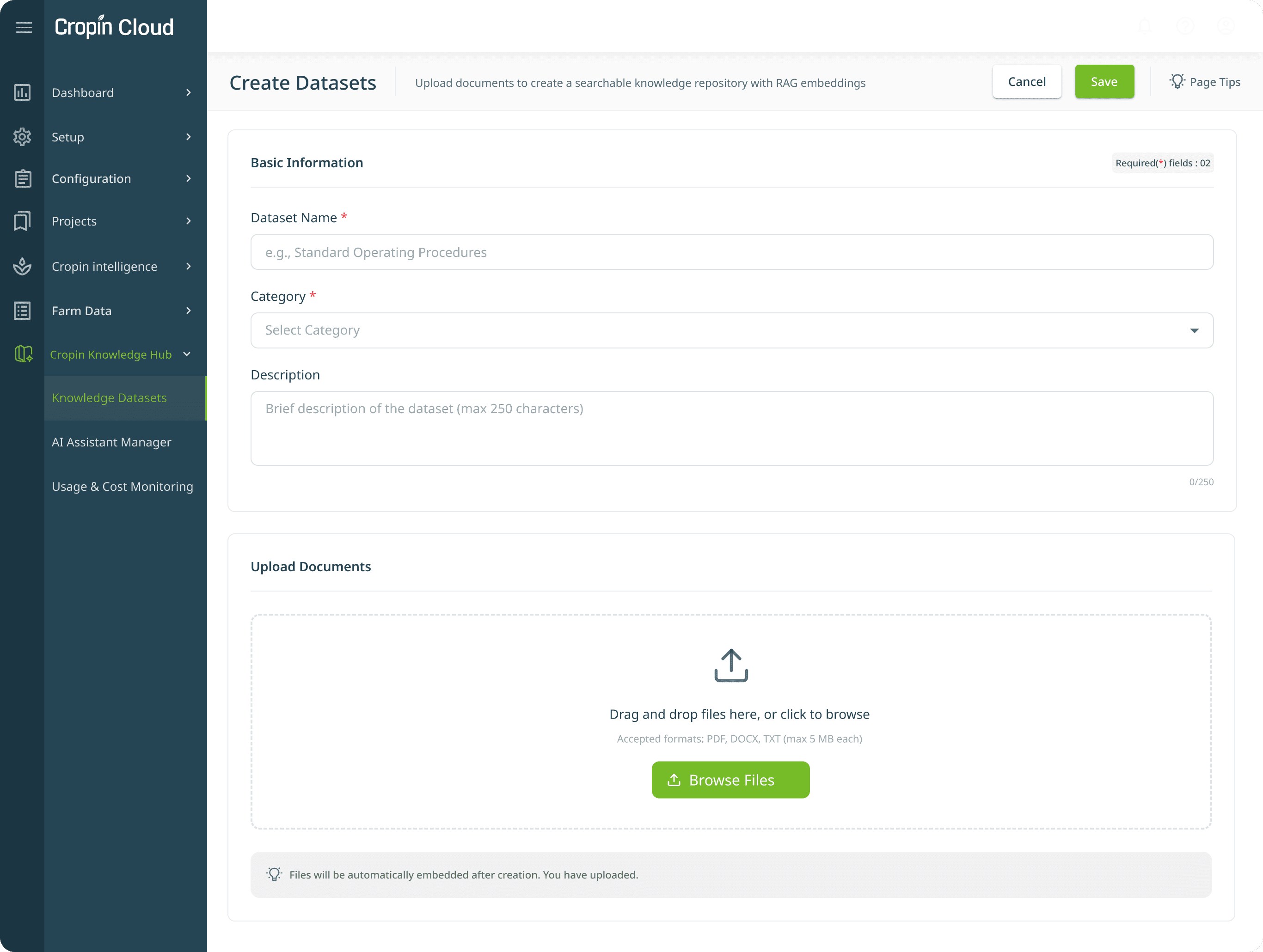
Dataset Creation Form - Document upload flow
UI Breakdown
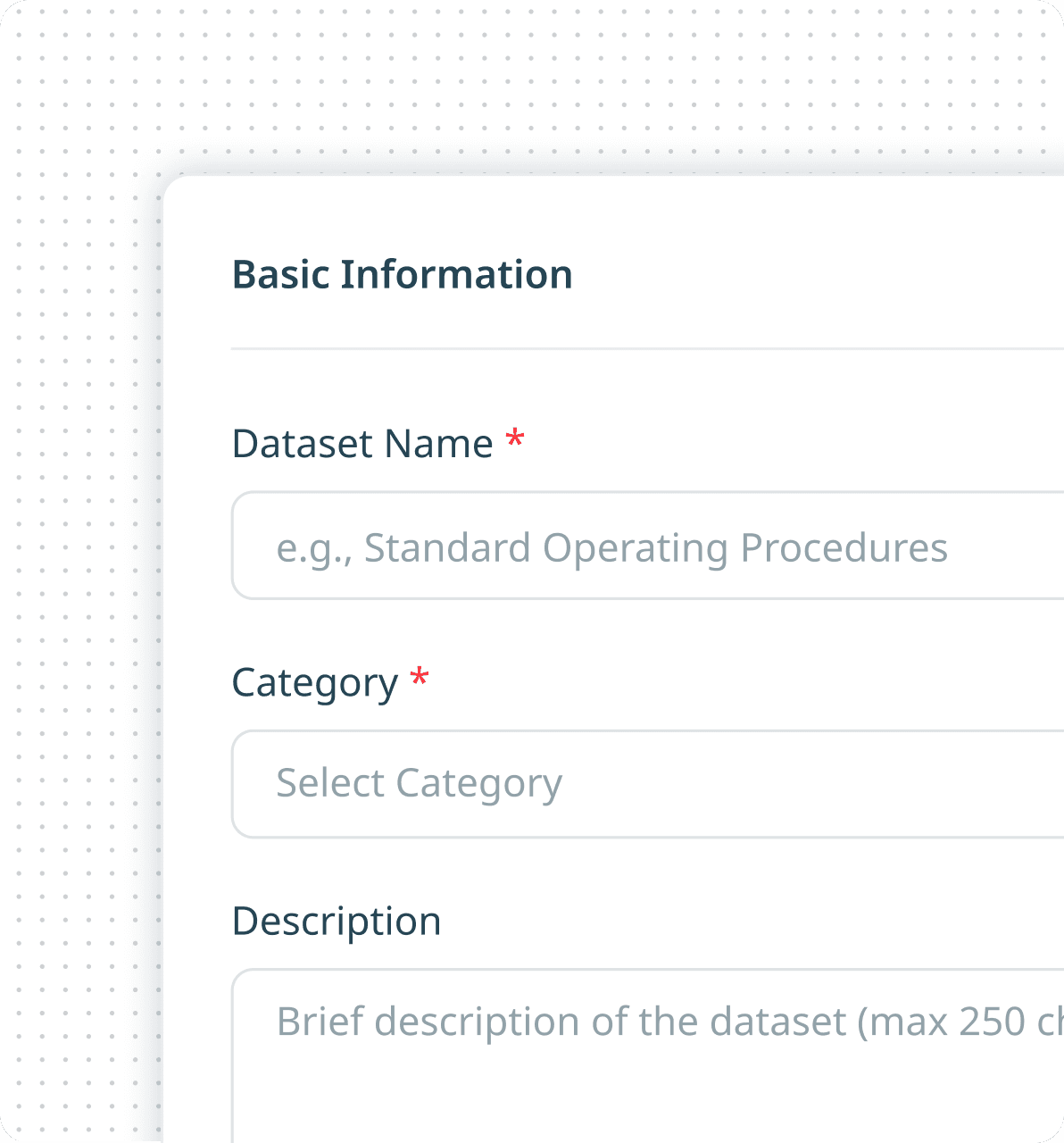
Minimal Required Fields
Only Dataset Name and Category are required to reduce friction and accelerate setup. Optional descriptions allow additional context without slowing down the workflow.
Prominent Drag-and-Drop Upload Zone
Supported Format Guidance
Uploaded file preview grid
Lean Form Structure
Save-First Workflow
Key Design Decisions
Fast Time-to-Setup - The workflow minimizes required effort so teams can onboard knowledge quickly.
No Technical Mental Model Required - Users are never exposed to concepts like vector databases or embeddings—technical complexity stays behind the scenes.
Progressive Complexity - Advanced AI functionality is abstracted away, making setup approachable for administrators without AI expertise.
Error Prevention - Upload guidance, format restrictions, and clear messaging help reduce failed ingestion and incomplete configurations.
Designing the Intelligence Layer - Control Without Complexity
Creating configurable AI assistants without exposing technical complexity. Administrators needed flexibility to tailor AI behavior for different audiences, domains, and workflows. The experience was designed to simplify complex LLM and RAG configurations into an approachable, guided setup flow.
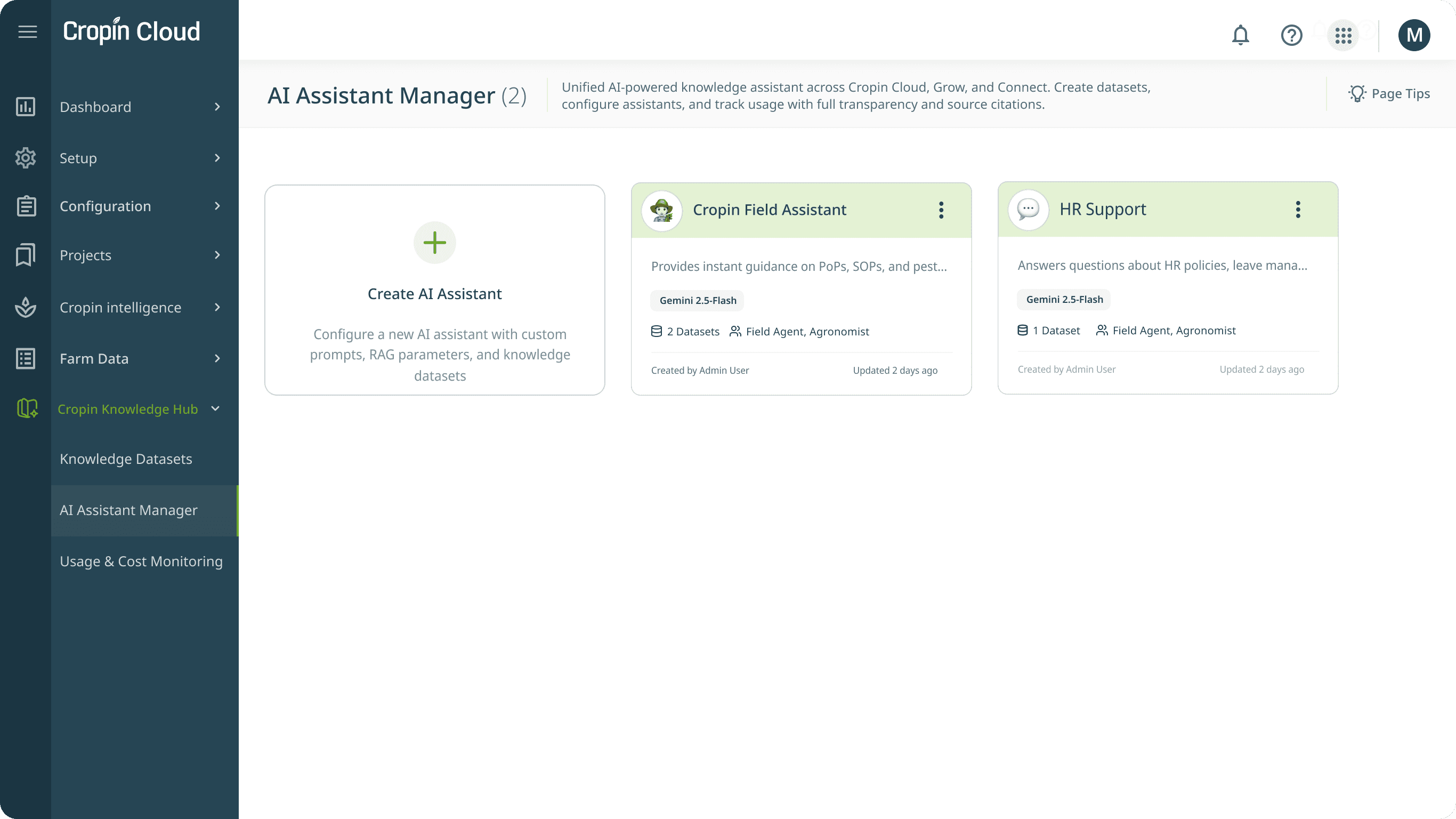
AI Assistant Manager
UI Breakdown
Card-Based Assistant Grid
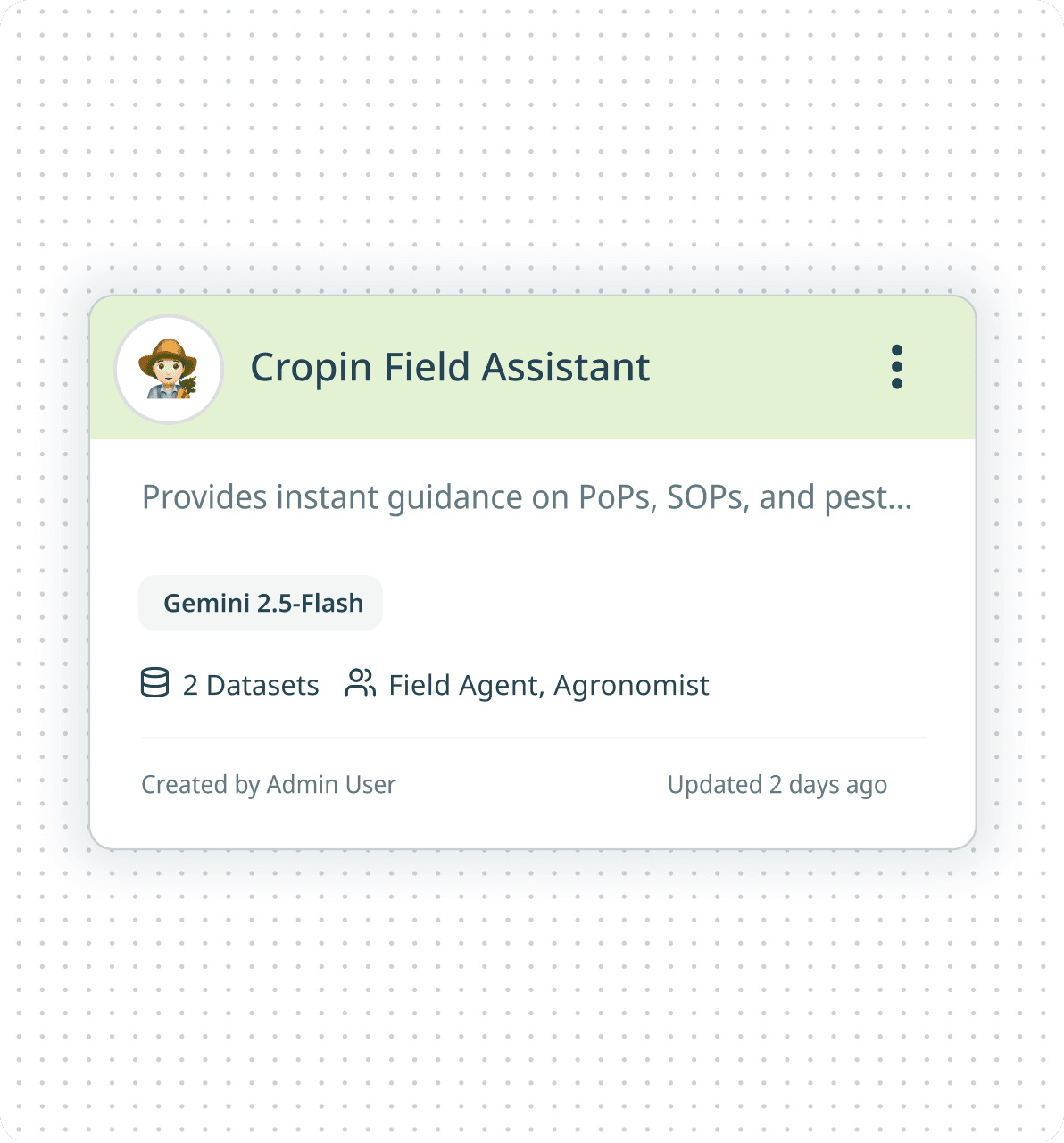
Each assistant is represented as a scannable card with identity, description, model, connected datasets, and assigned user roles. This creates quick visibility into assistant purpose and configuration without opening details.
Create Assistant as Primary Action
Assistant Identity & Avatar
Configuration Visibility at a Glance
Kebab Overflow Actions
Role-Based Assistant Access
Key Design Decisions
Specialized Assistants Over One Generic Bot - Different user groups required different expertise, tone, and datasets—leading to a multi-assistant architecture rather than a single universal chatbot.
Configurability Without Technical Complexity - Advanced AI configurations were abstracted into understandable controls accessible to non-technical administrators.
Trust Through Transparency - Datasets, roles, and models are visible upfront to make assistant behavior understandable and governable.
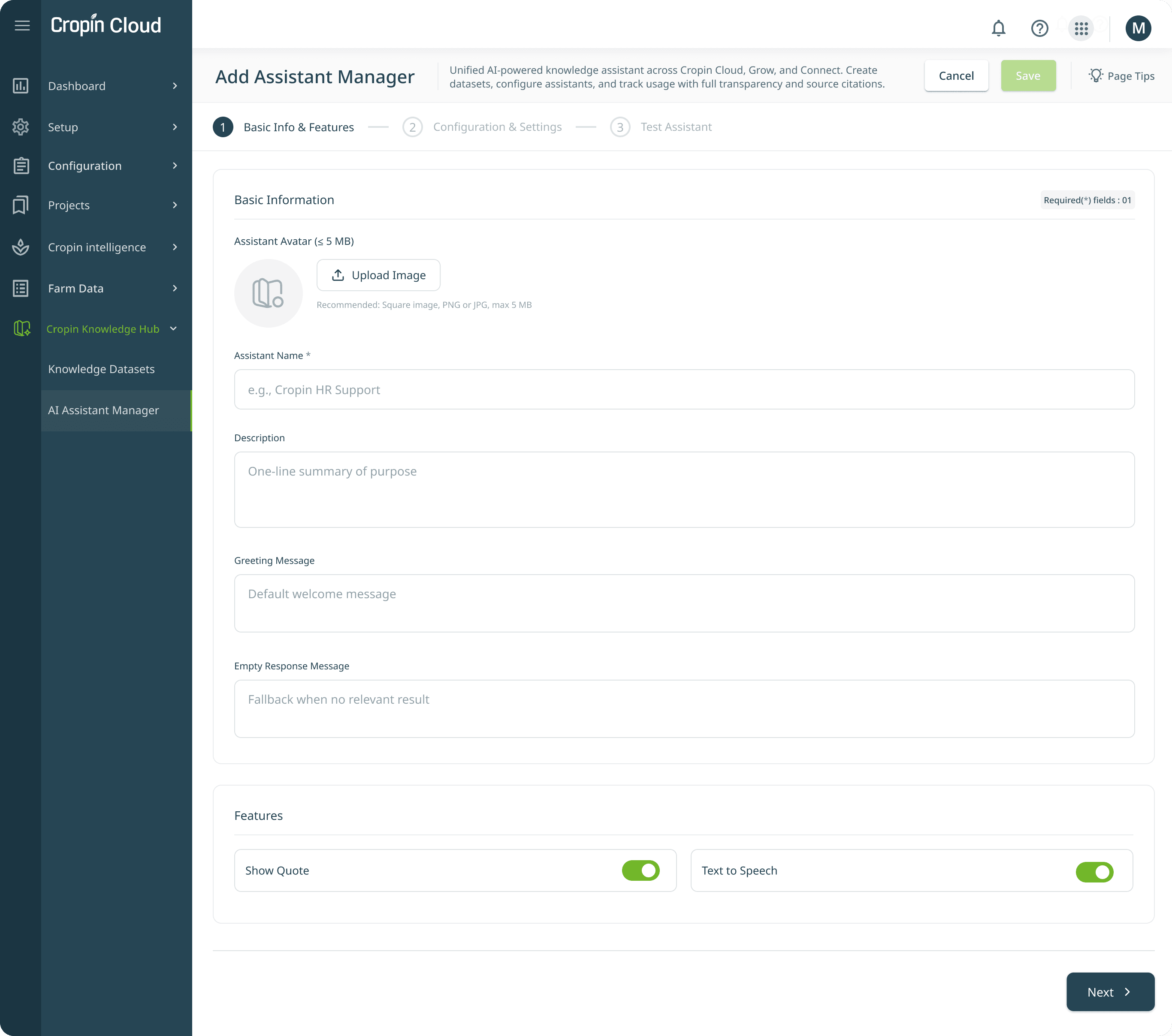
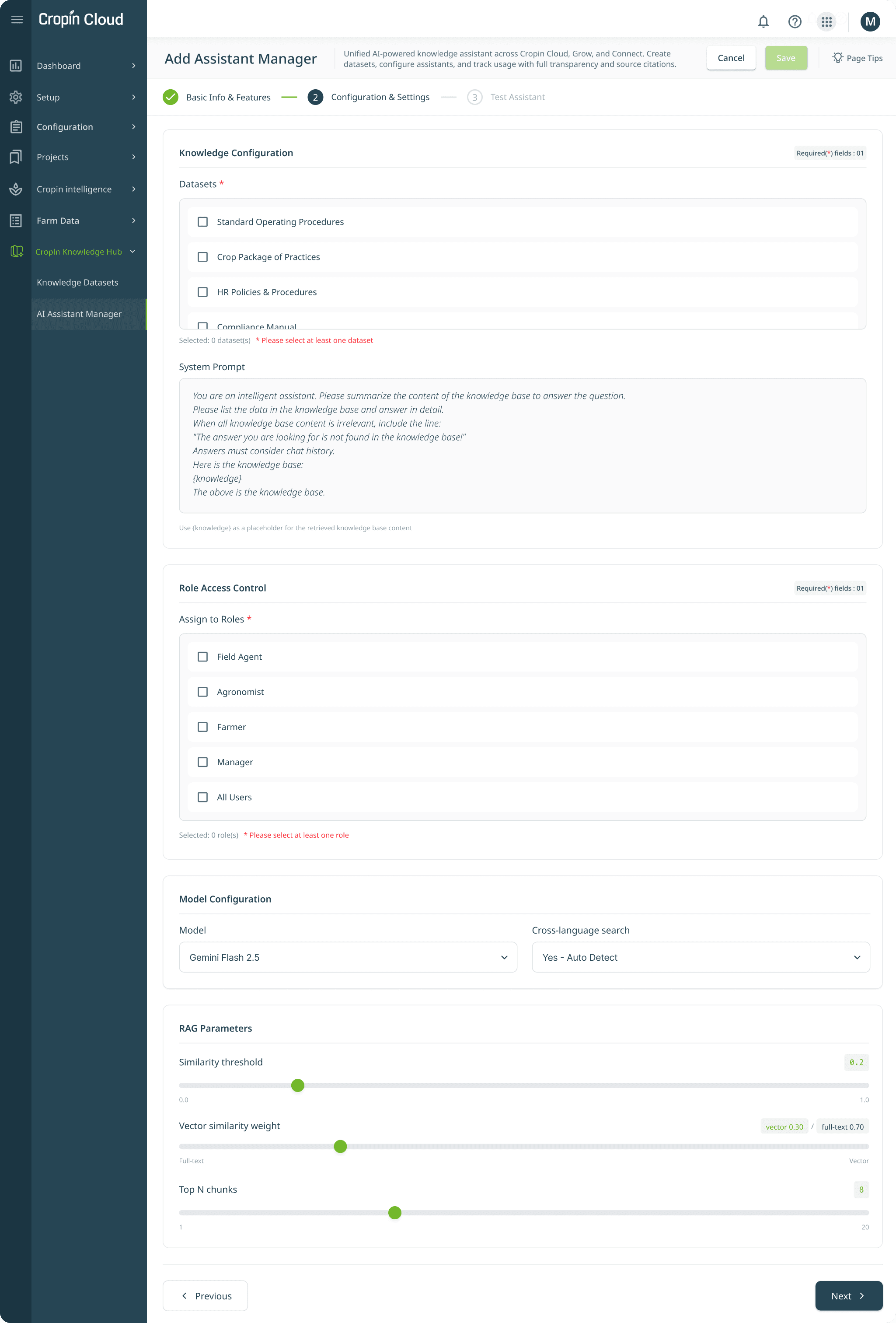
Assistant Manager Creation Form with configurations
Basic Info & Features
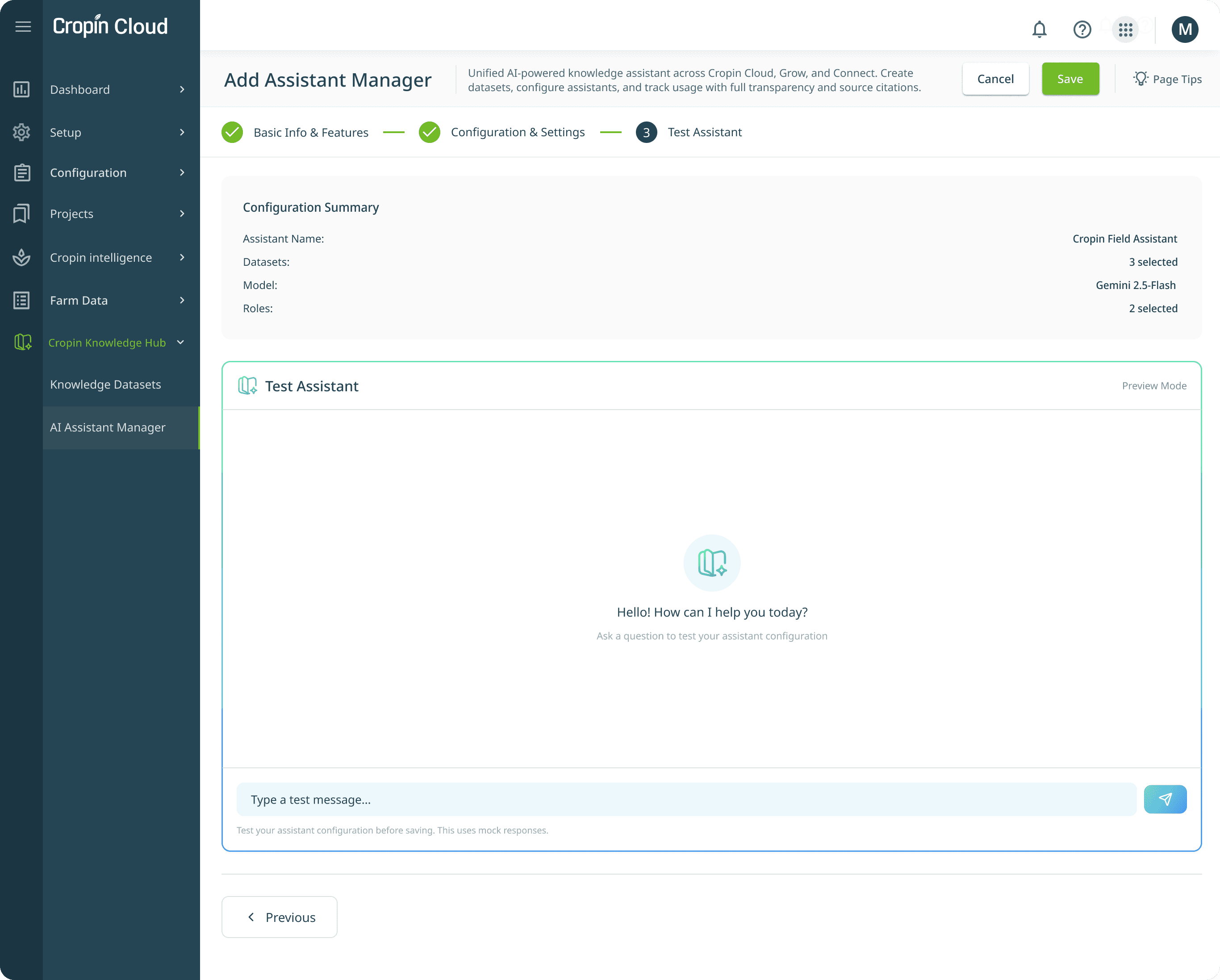
UI Breakdown
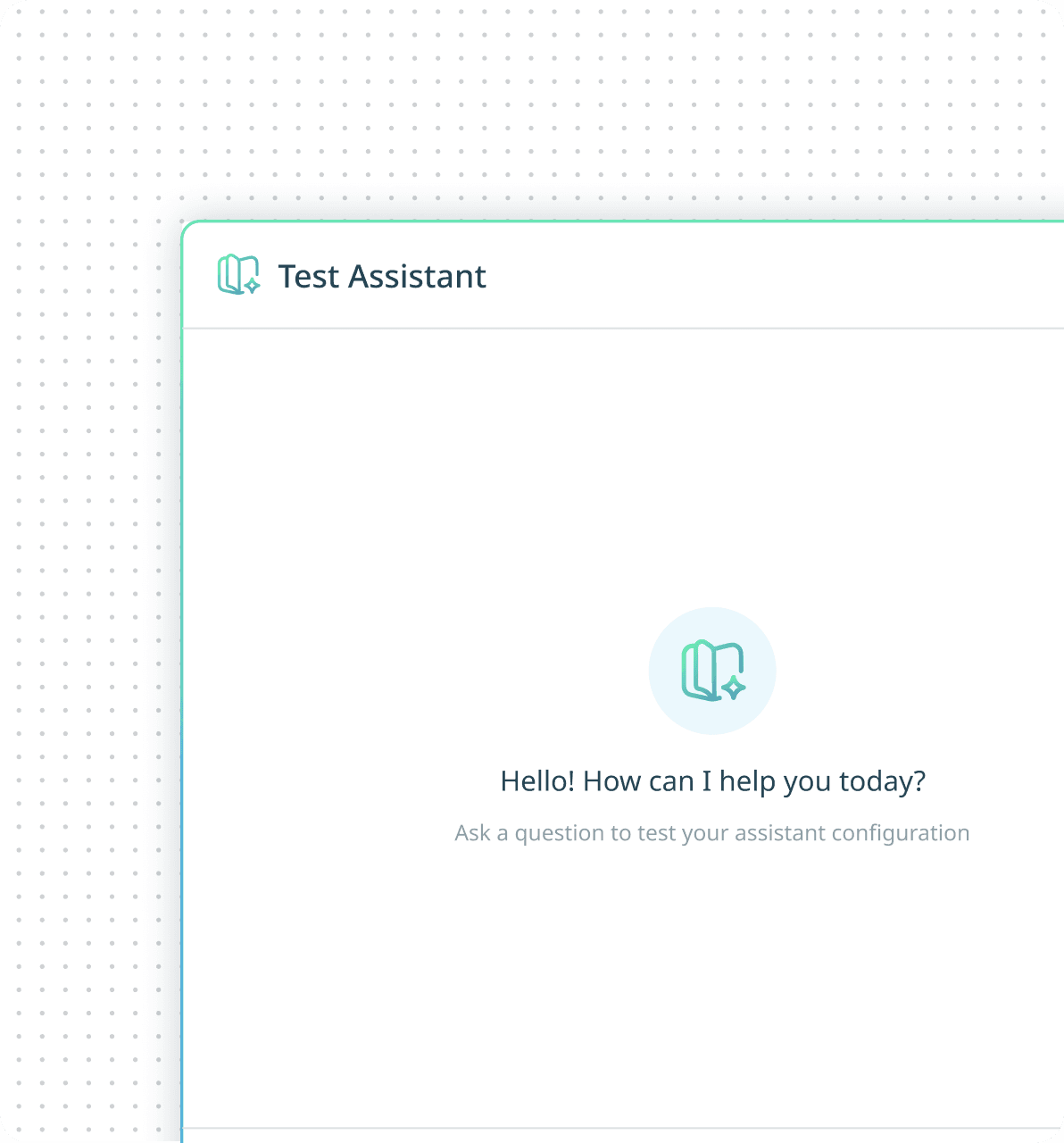
Assistant testing and preview
As admin configures the assistant, a chat widget preview updates. This is the "what you configure is what users see" principle - reduces configuration anxiety.
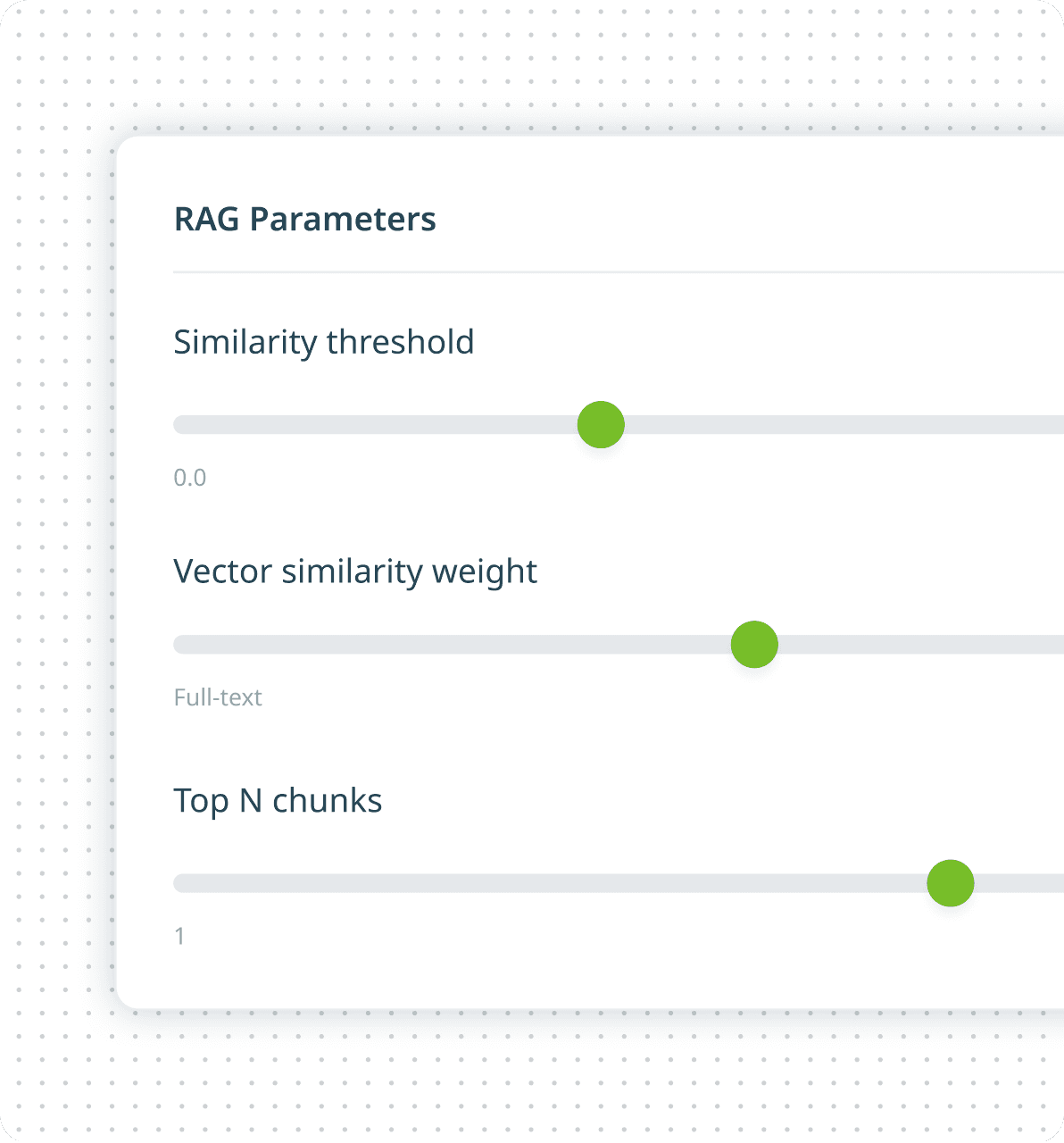
RAG parameter sliders
Knowledge dataset checkboxes
Role access control
Key Design Decisions
Tone as a Configurable Layer - AI tone and behavior become part of the product experience rather than fixed system behavior.
Trust Over Intelligence - Fallback messaging was intentionally designed to prioritize honesty over fabricated answers.
Low-Friction Setup - The form minimizes effort while still enabling meaningful customization.
Progressive Complexity - Simple decisions appear first, while advanced AI settings remain optional and contextual.
No Prompt Engineering Barrier - Admins can influence assistant behavior without requiring LLM expertise.
Enterprise Governance by Design - Dataset access, user roles, and model configuration remain centralized and auditable.
Reduce Configuration Anxiety - Testing before publishing reduces uncertainty and increases confidence in setup decisions.
Shift Validation Left - Potential issues are identified during setup instead of after deployment.
Design for Confidence - Admins leave the flow knowing how the assistant behaves before exposing it to users.
Knowledge Base chat - Designing the Conversational Experience
The chat interface is where trust lives. The chat interface became the primary interaction layer where trust, context, and usability converge. Designed across web and mobile, every interaction was shaped to reduce uncertainty and help users act with confidence.
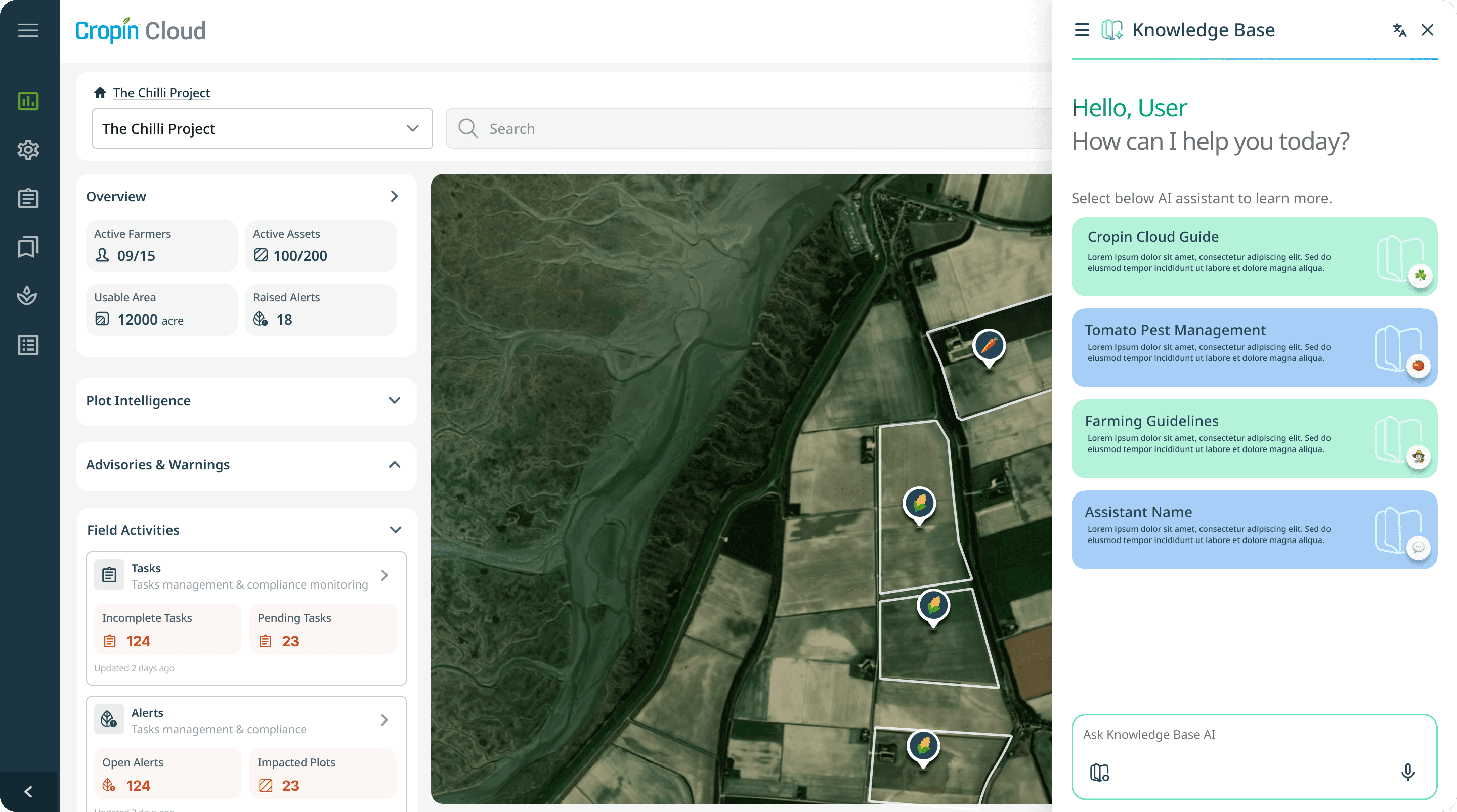
Knowledge base chat interface in web
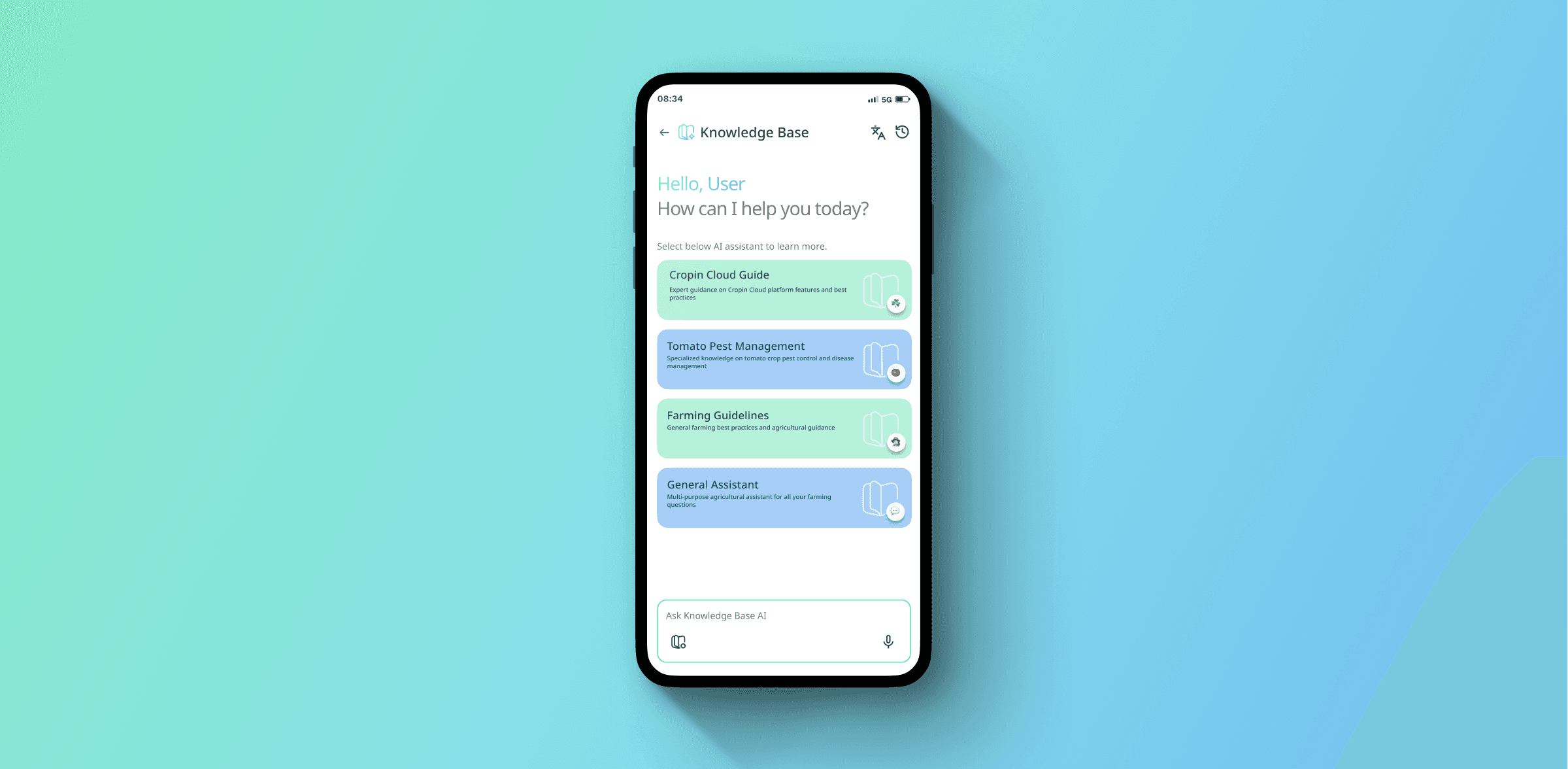
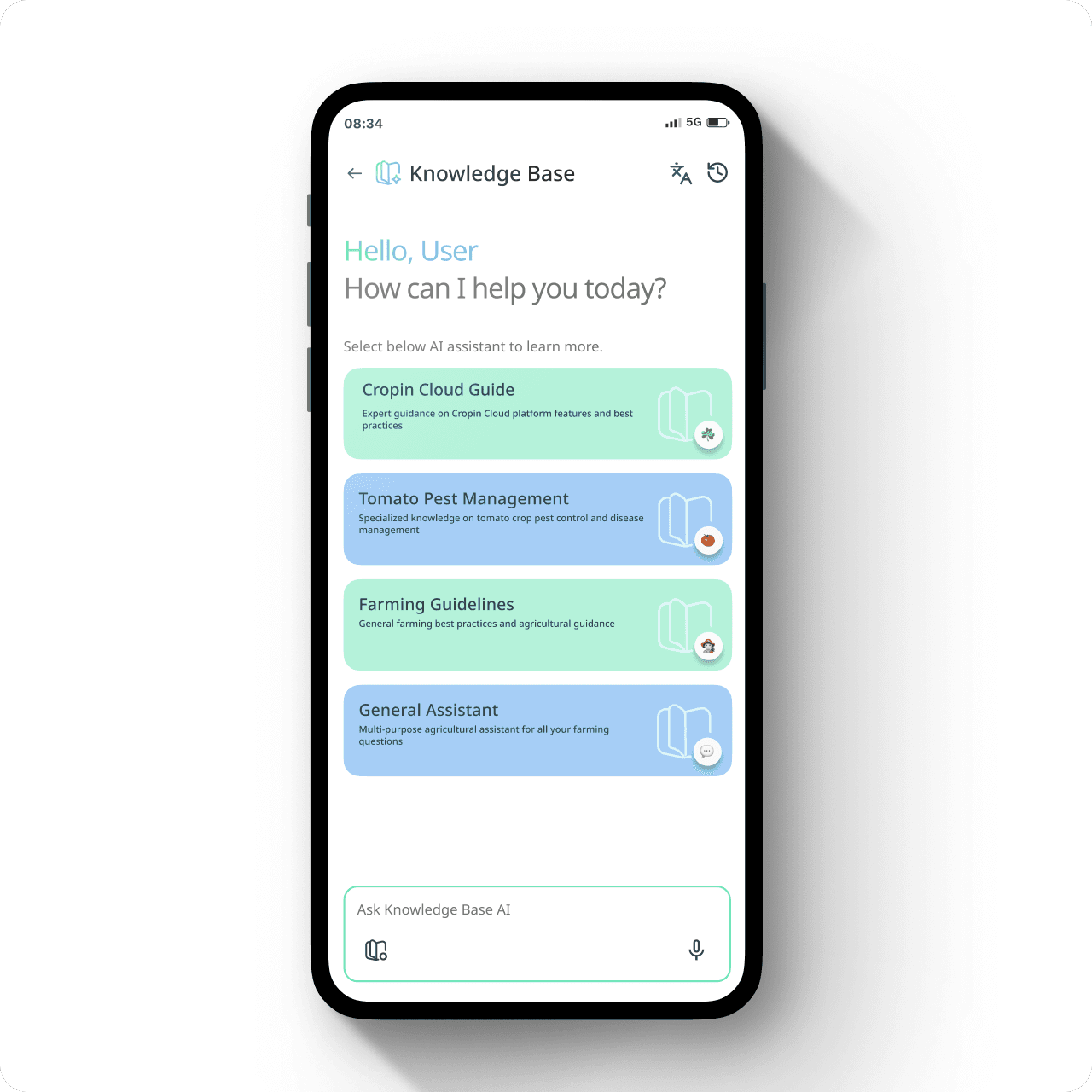
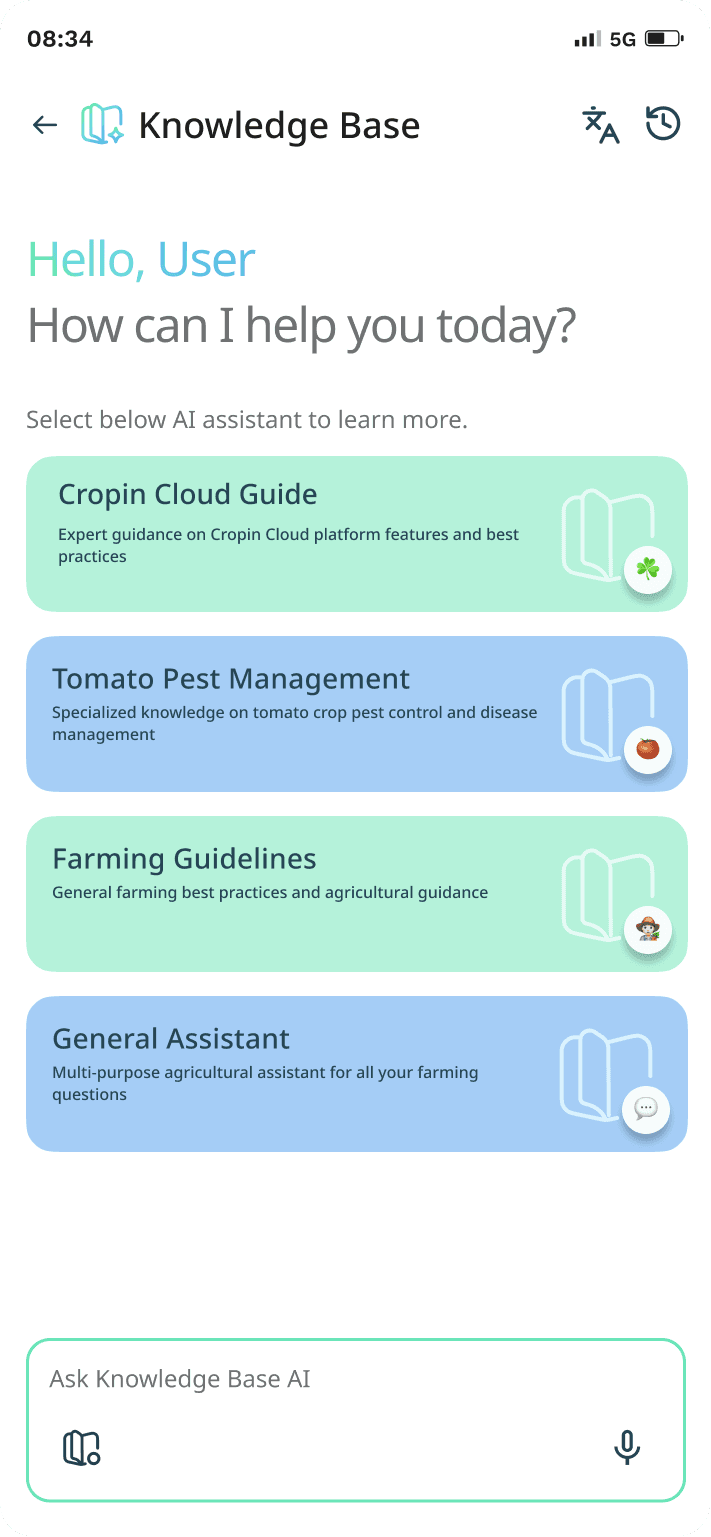
Knowledge base chat interface in mobile
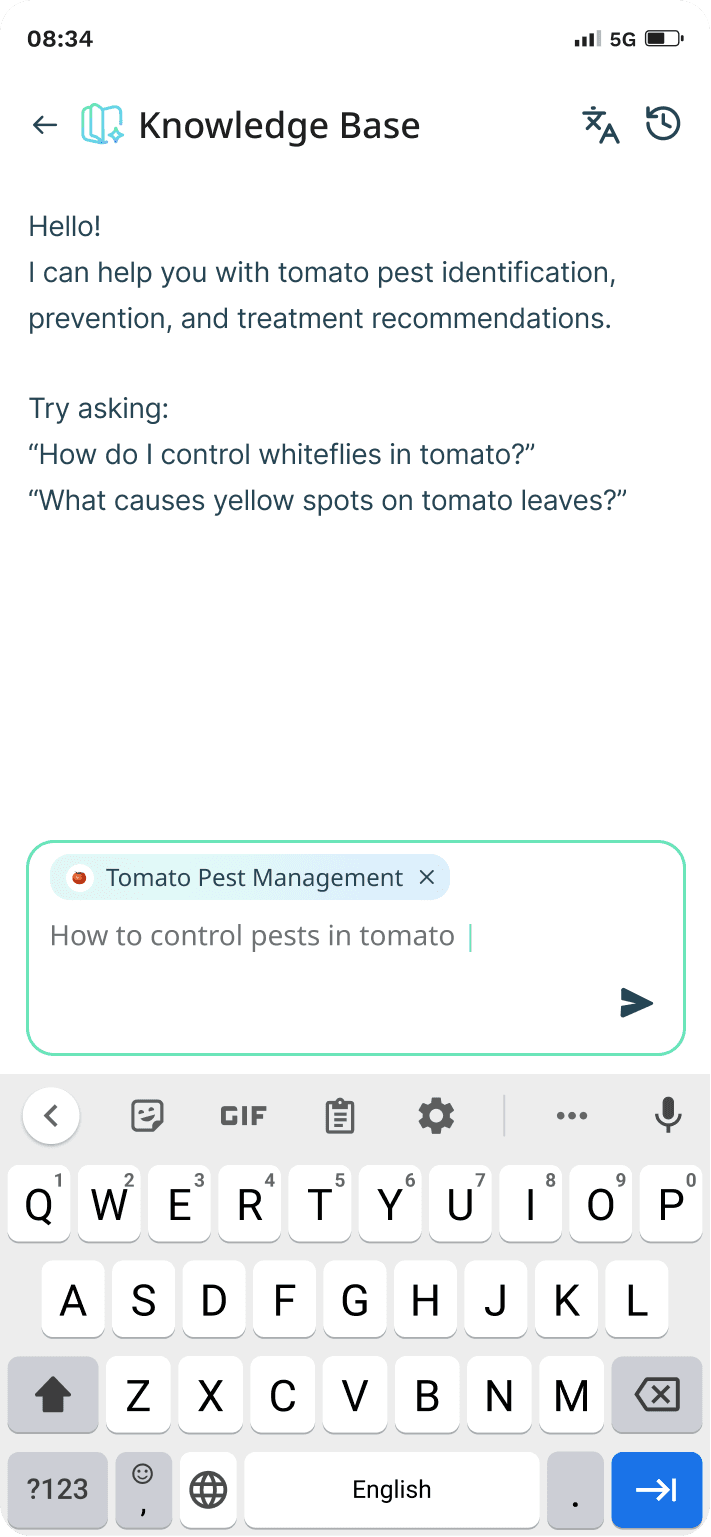
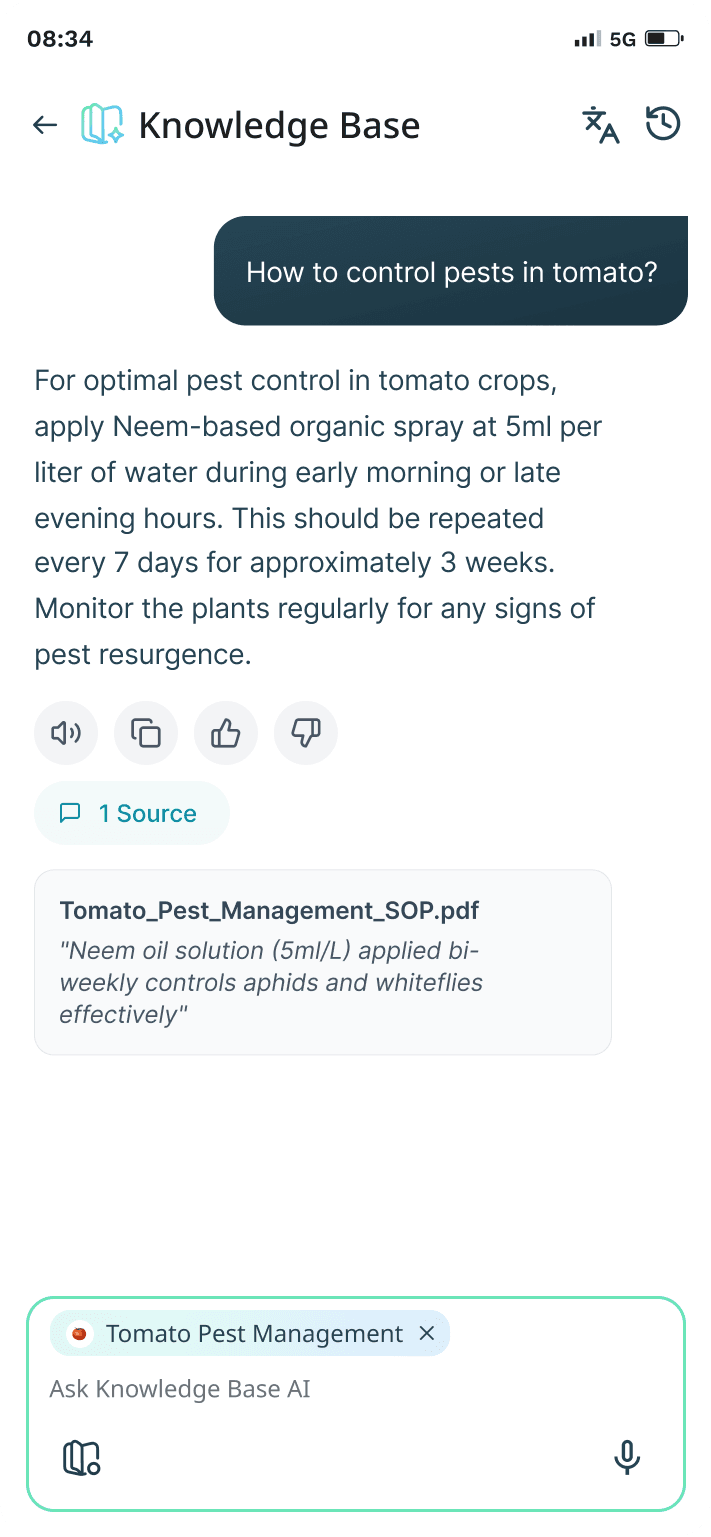
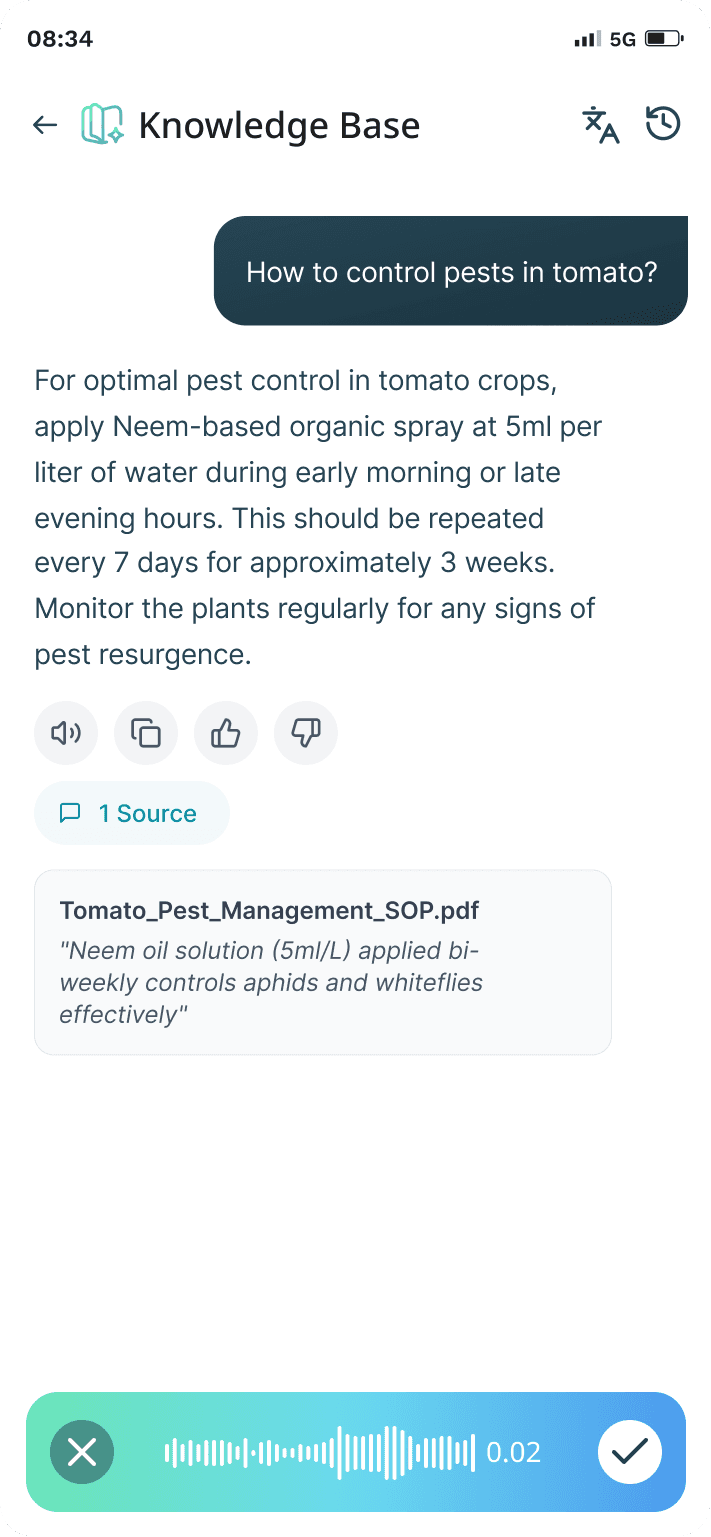
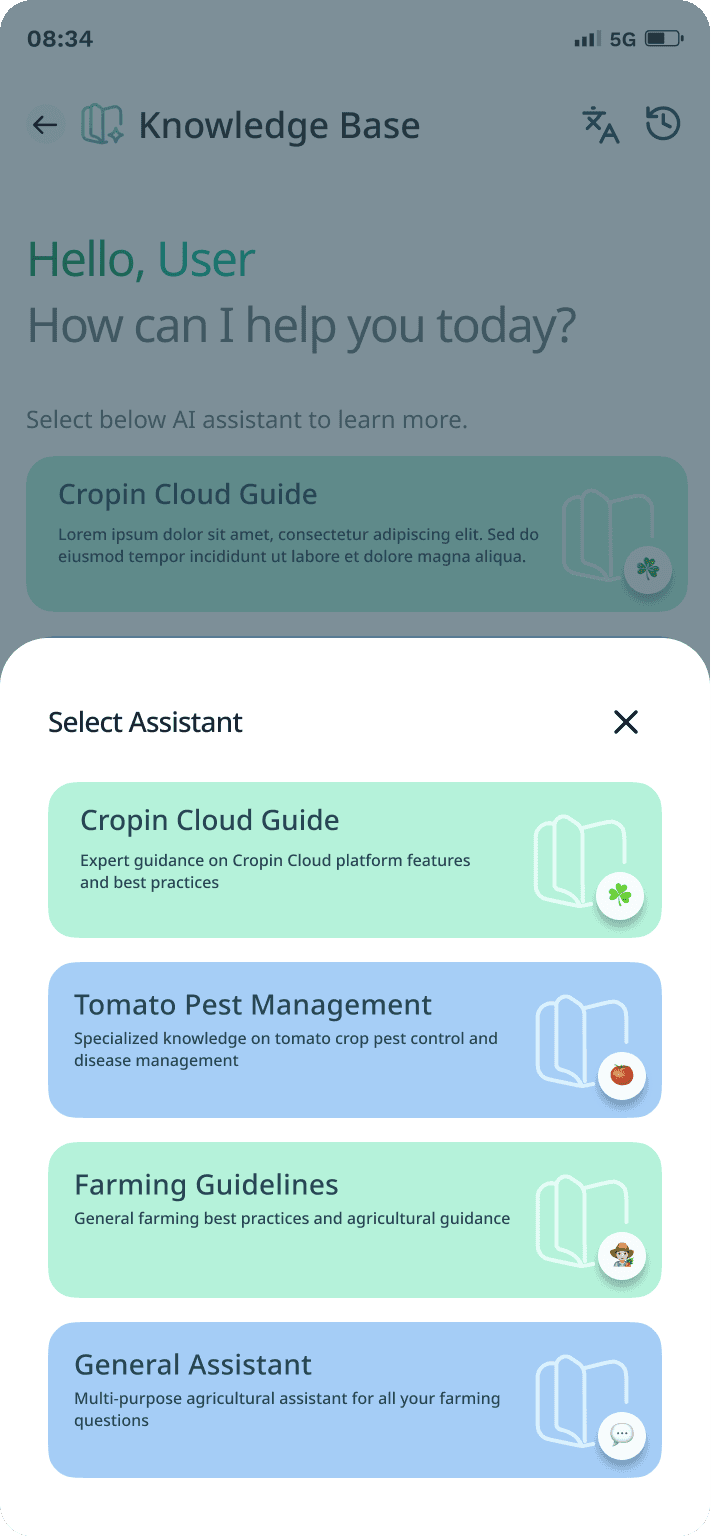
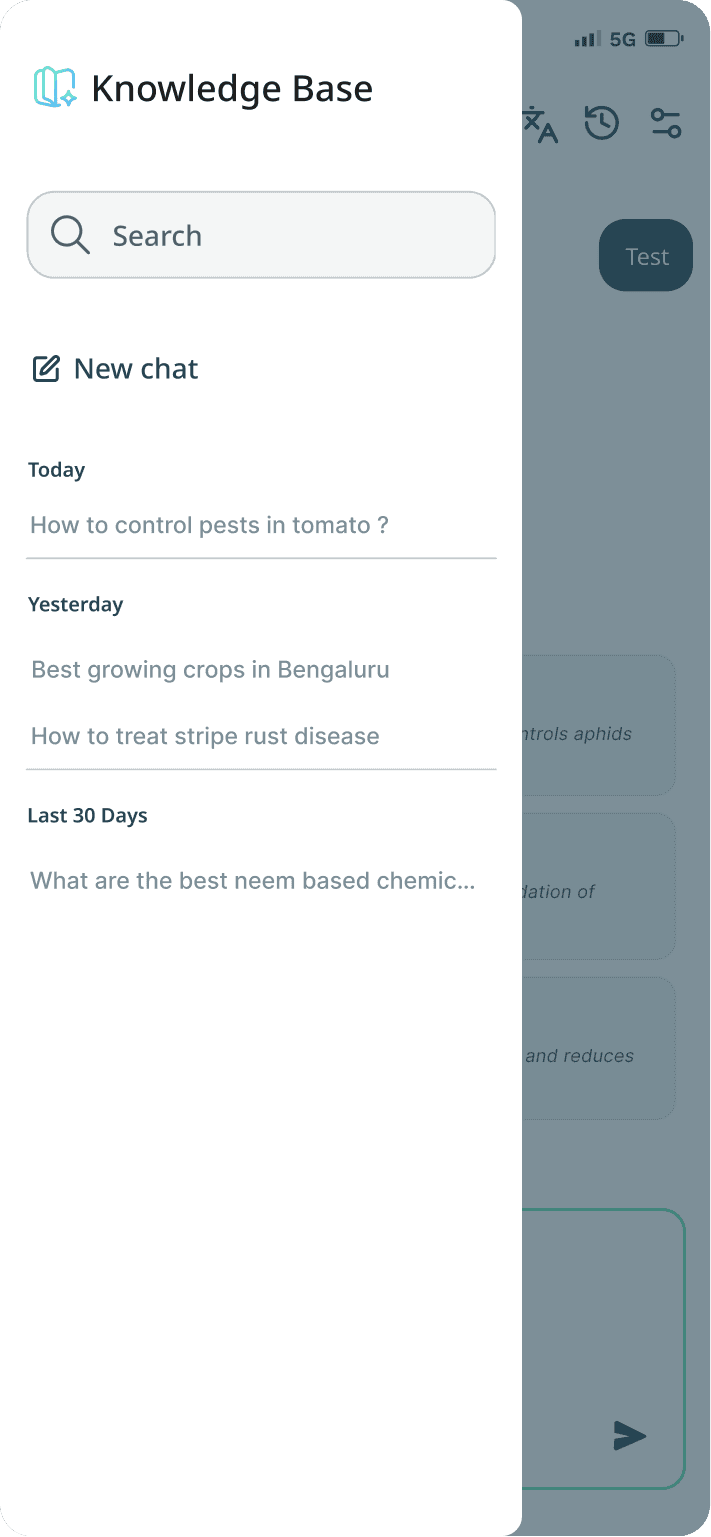
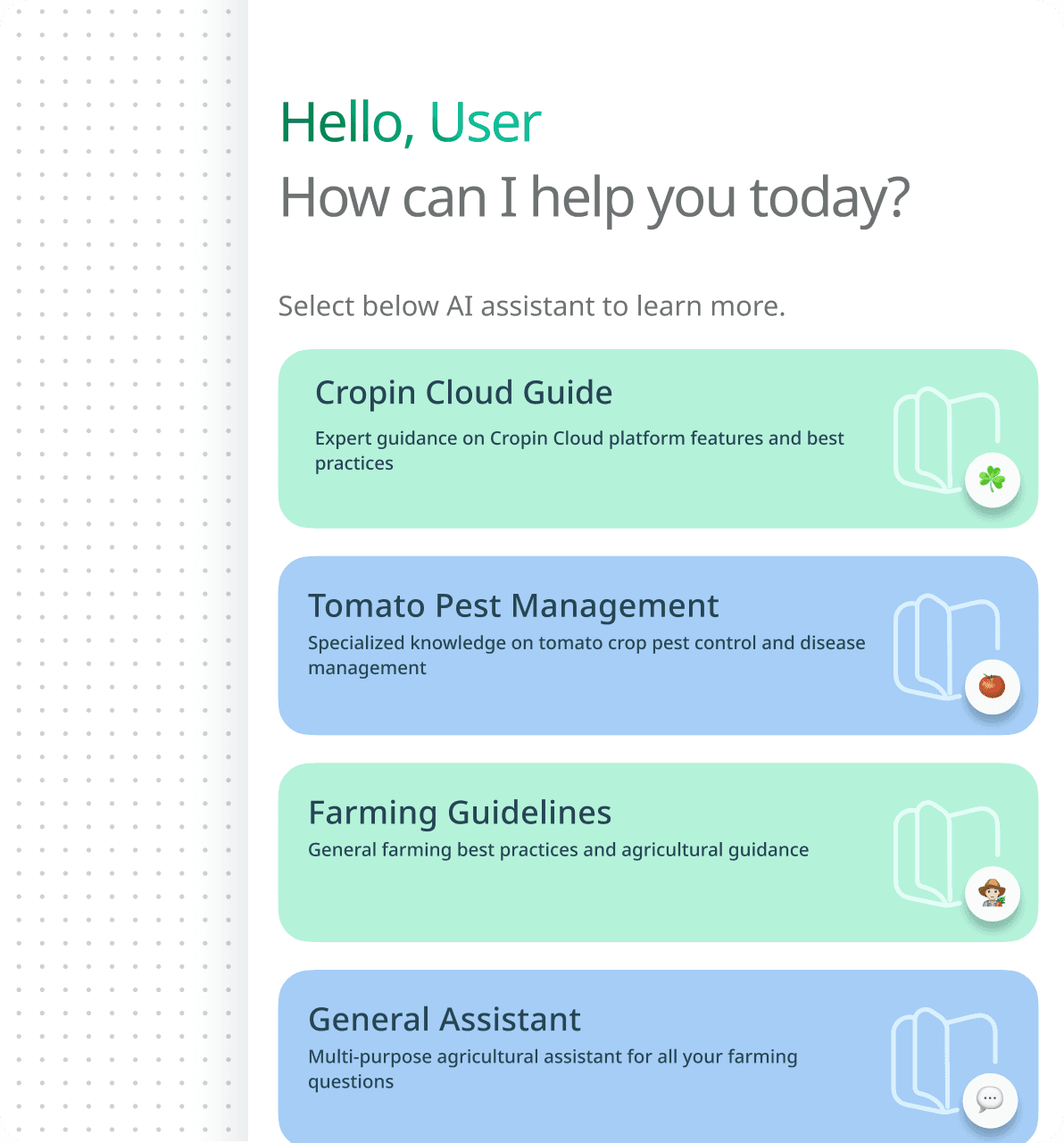
UI Breakdown
Welcome State + Contextual Assistant Selection
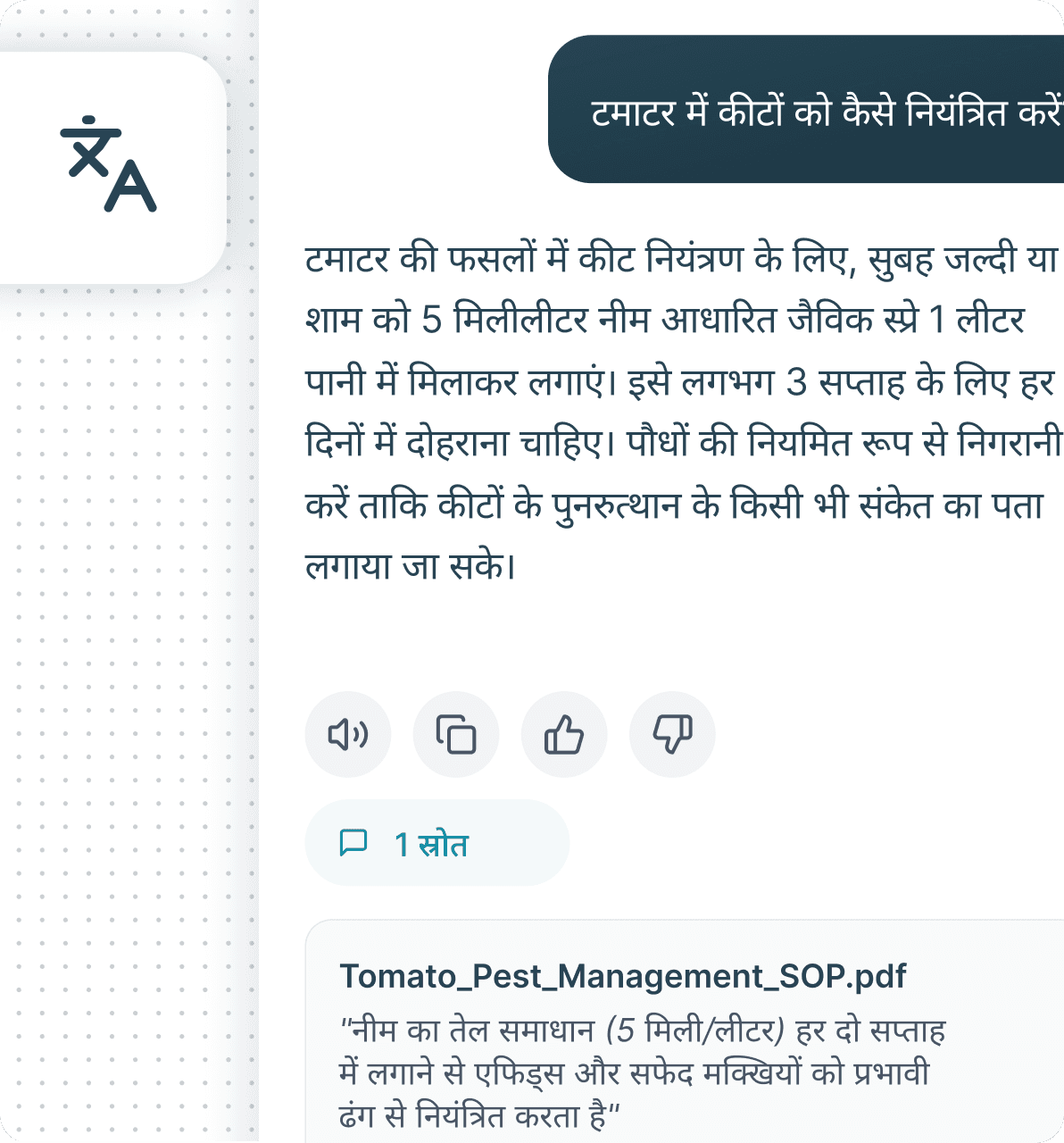
A conversational welcome screen lowers the barrier to interacting with AI while guiding users toward relevant assistant contexts. Rather than a single generic chatbot, domain-specific assistant cards help users understand what the system knows before they ask.
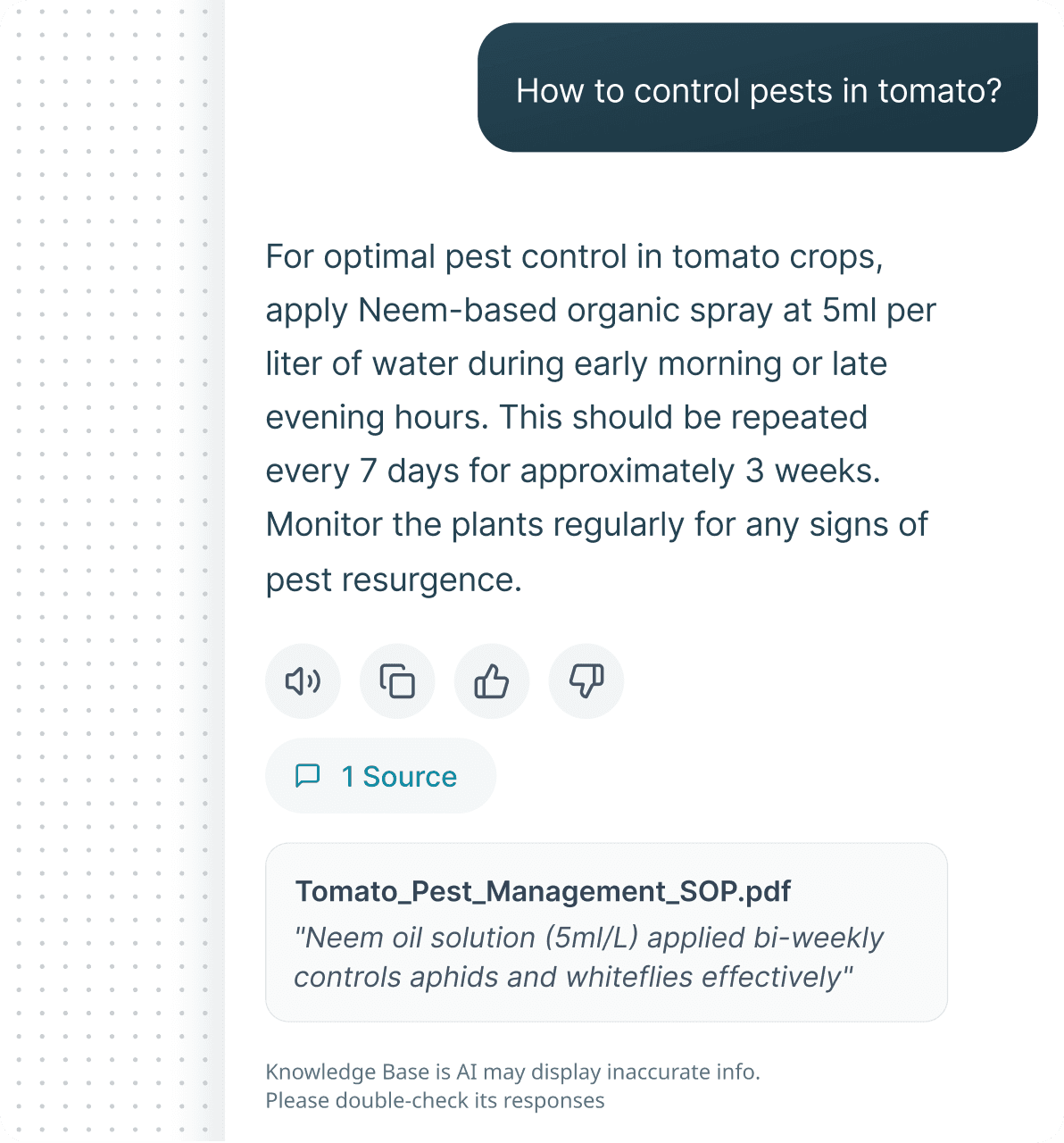
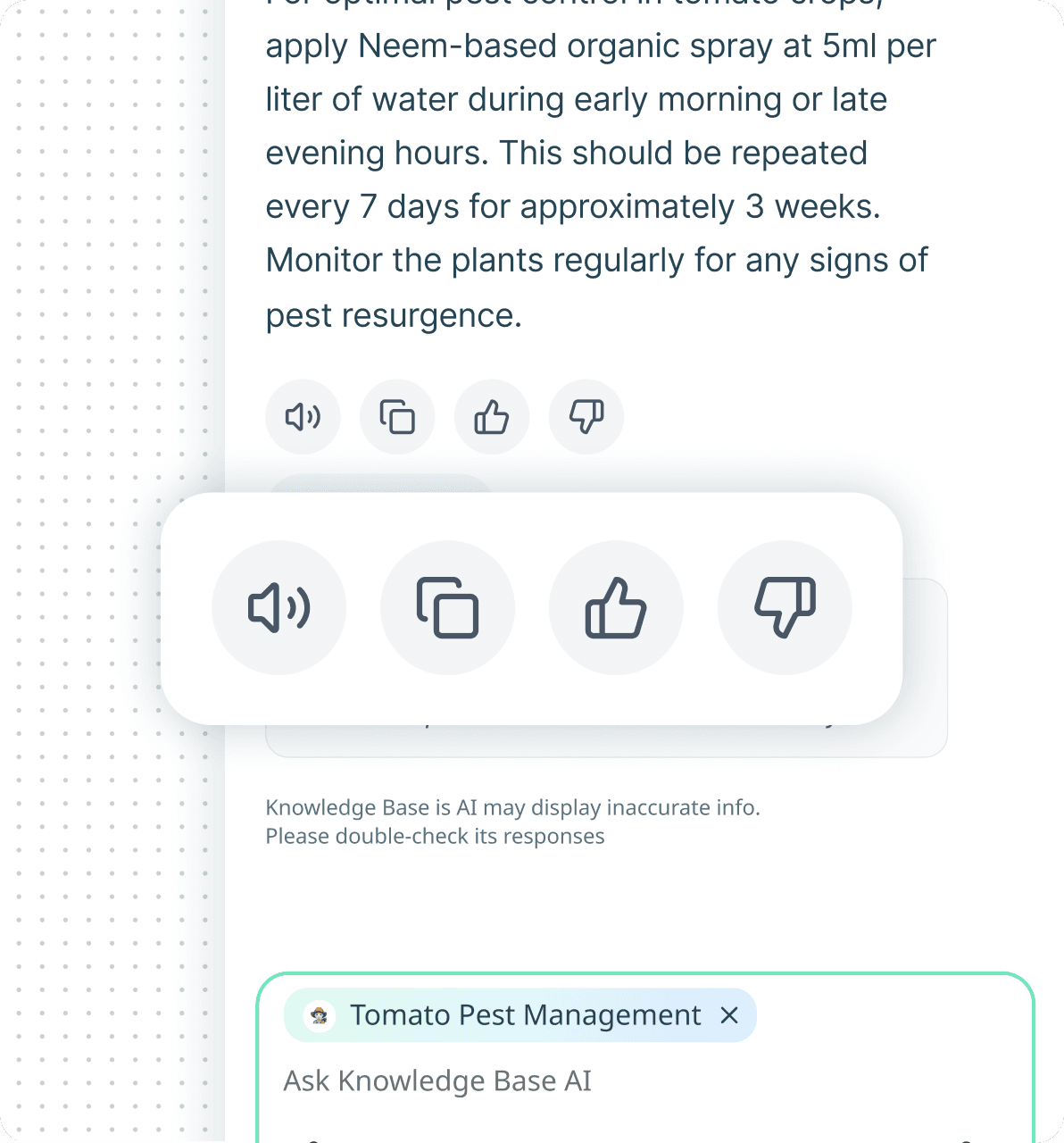
Citation-First Response Design
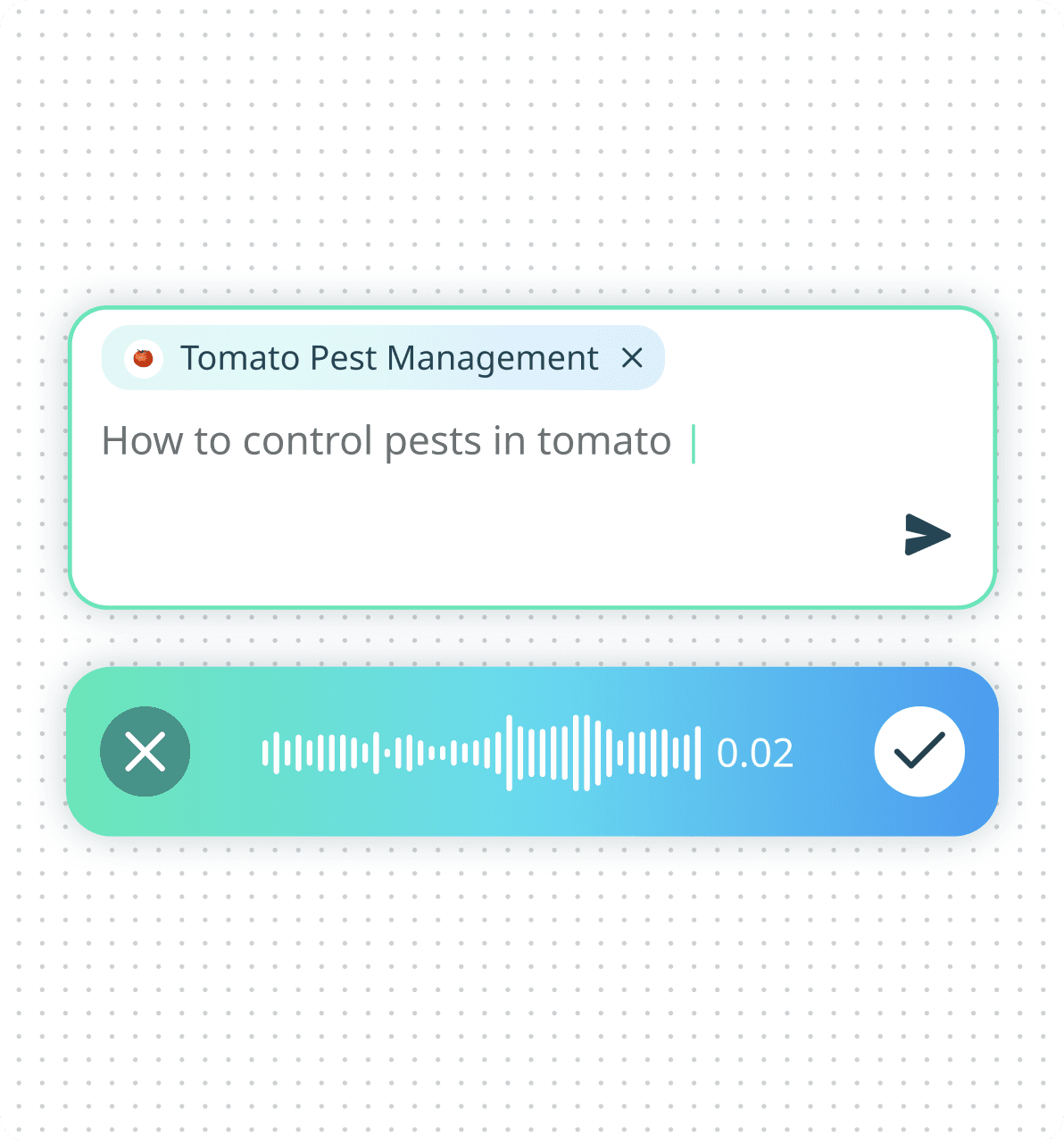
Contextual Dataset Indicator
Voice + Text Hybrid Input
Response Utility Actions
Conversation History
Multilingual Accessibility
Minimal Input Experience
Trust-Centered Design
AI Monitoring Dashboard - Governance Layer
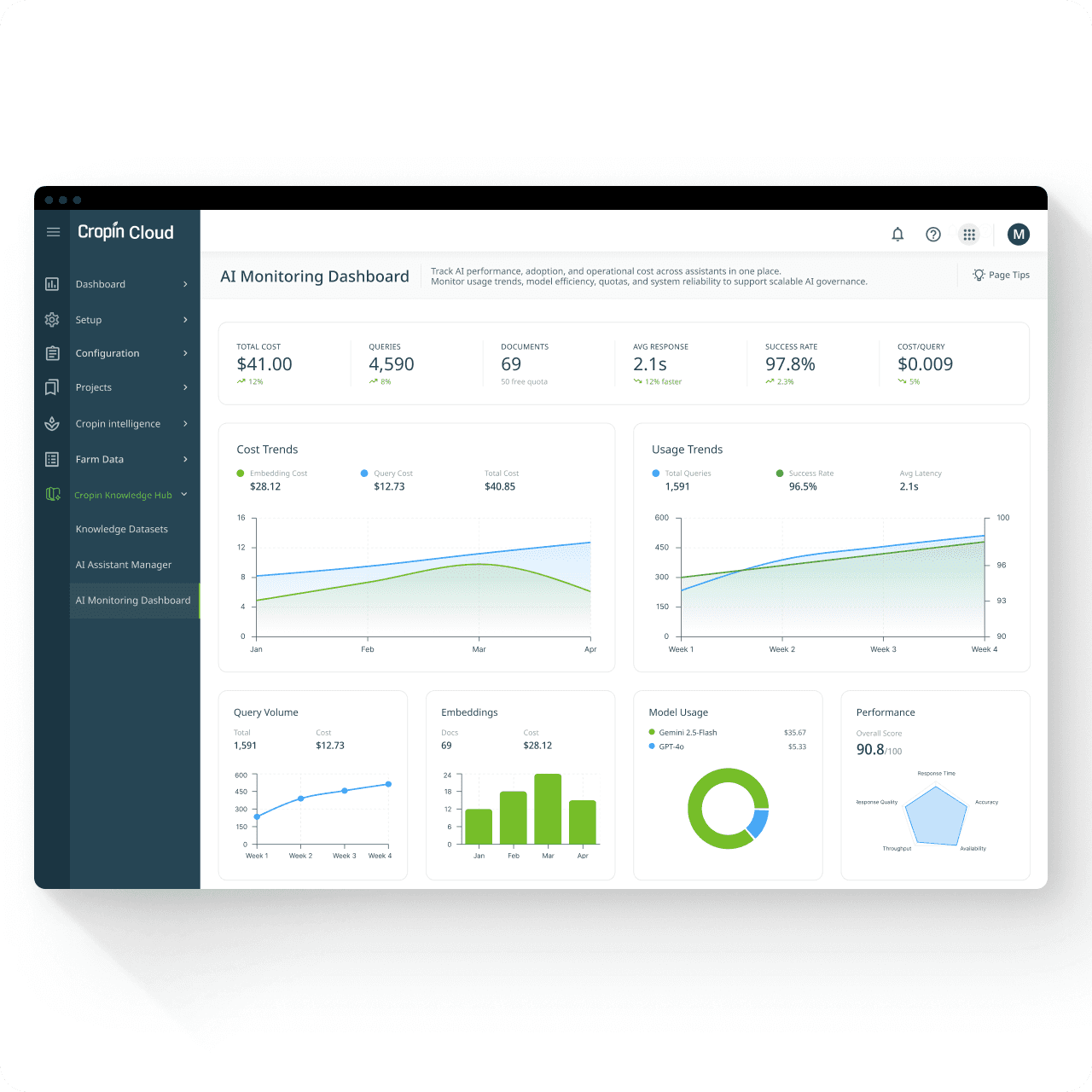
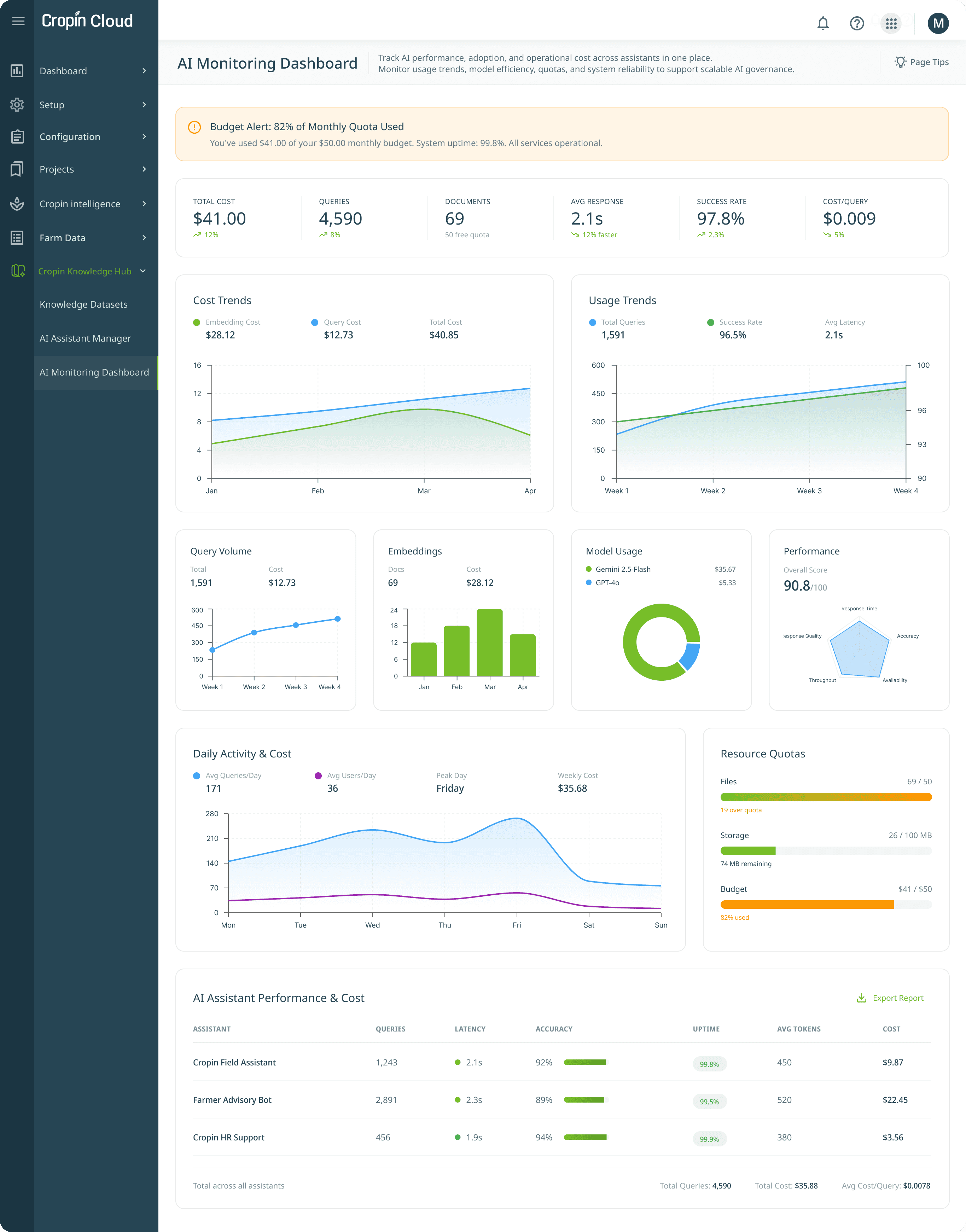
Building trust in AI goes beyond responses-it requires visibility into how the system performs, costs, and scales over time. Admins need to see what the AI is doing, how much it costs, and whether it’s performing.
To support enterprise adoption, a dedicated monitoring layer was introduced, allowing administrators to track:
Assistant performance
Query volume and latency
Embedding and storage usage
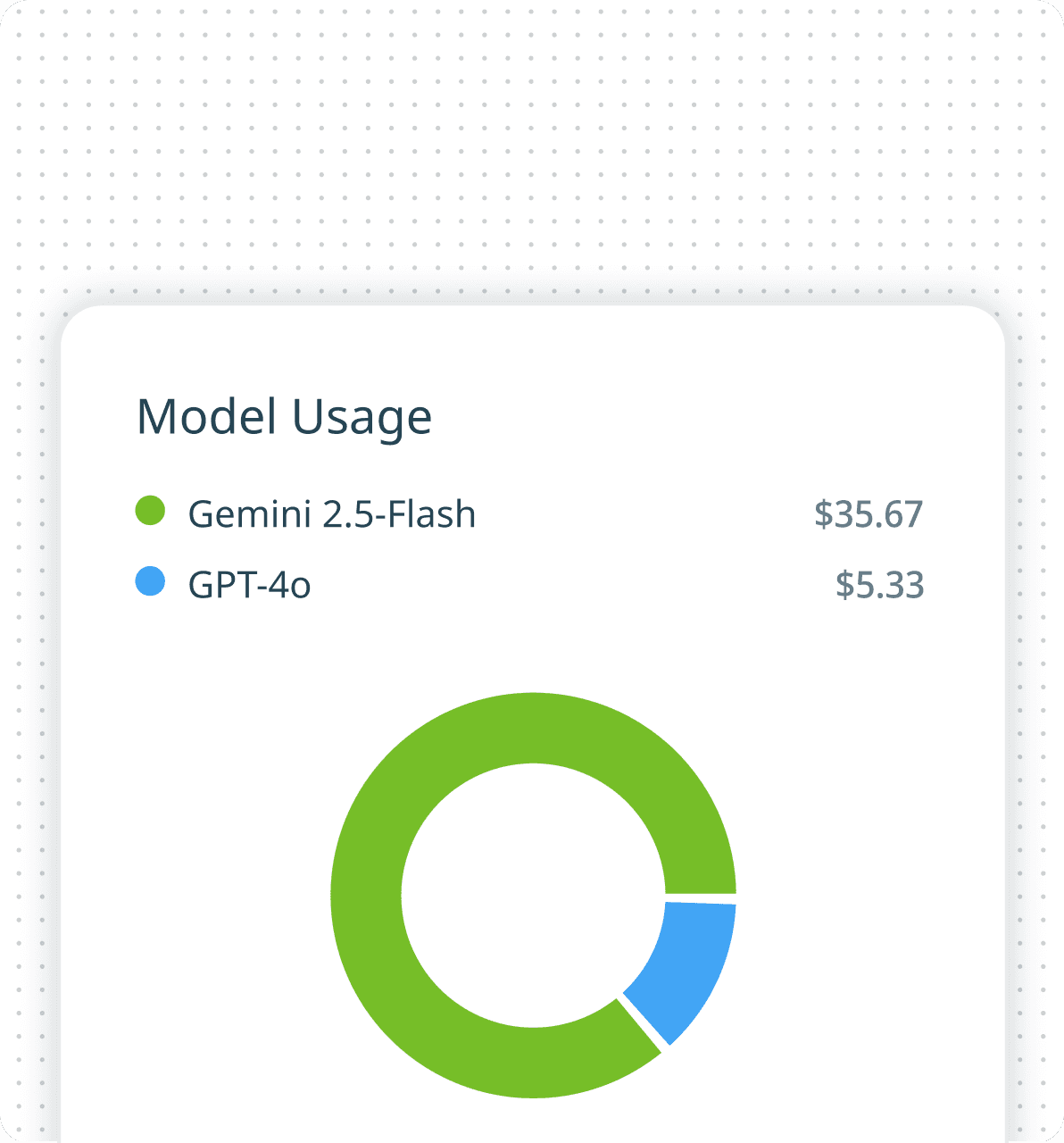
Model consumption and cost
Resource quotas and budget alerts
This transformed AI from an opaque system into a measurable, governable capability.
AI monitoring dashboard
UI Breakdown
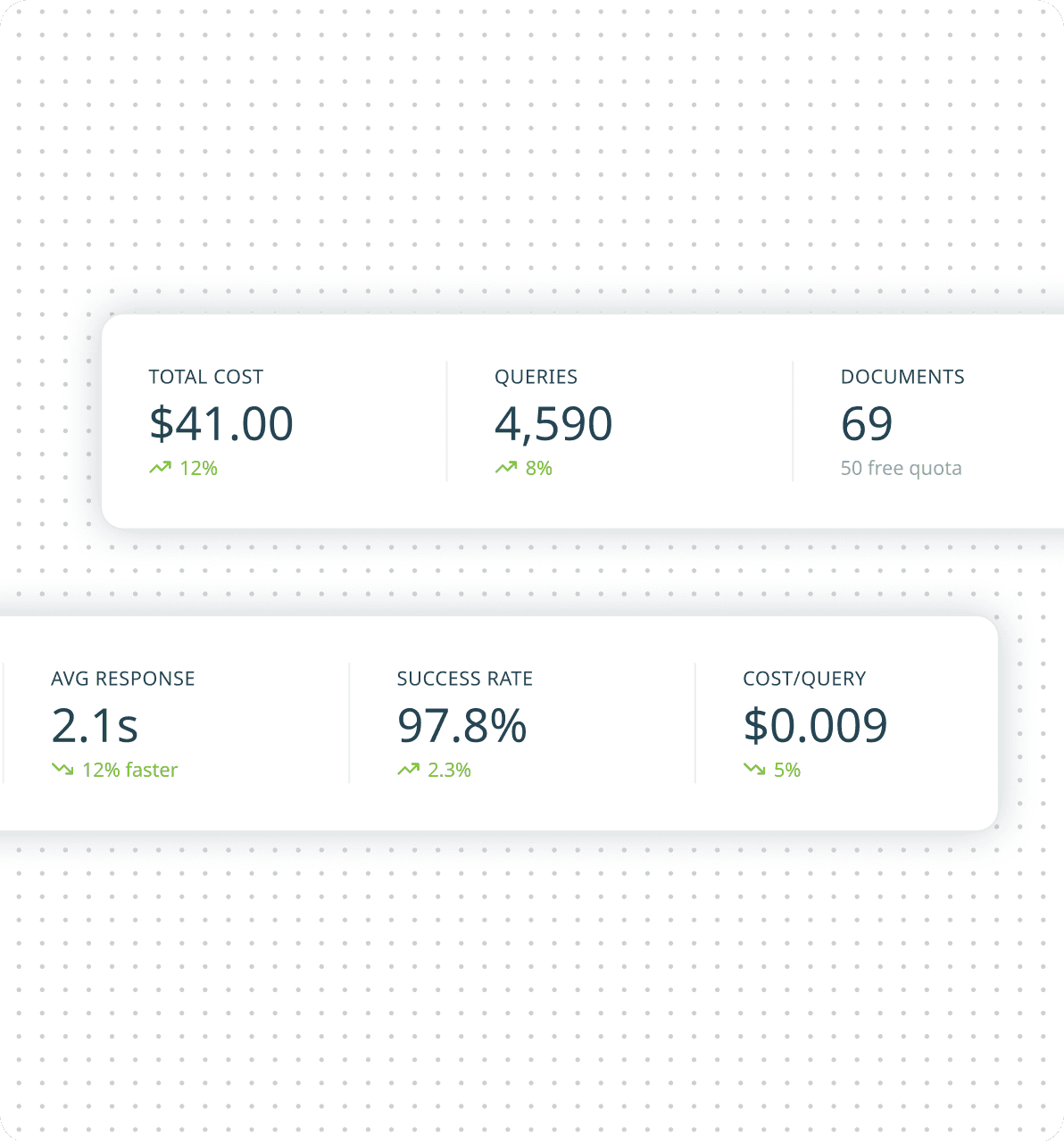
Operational Health Snapshot
A top-level metrics summary surfaces critical indicators like cost, query volume, response time, and success rate. This enables administrators to quickly assess system health without navigating across multiple views.
Budget & Quota Alerts
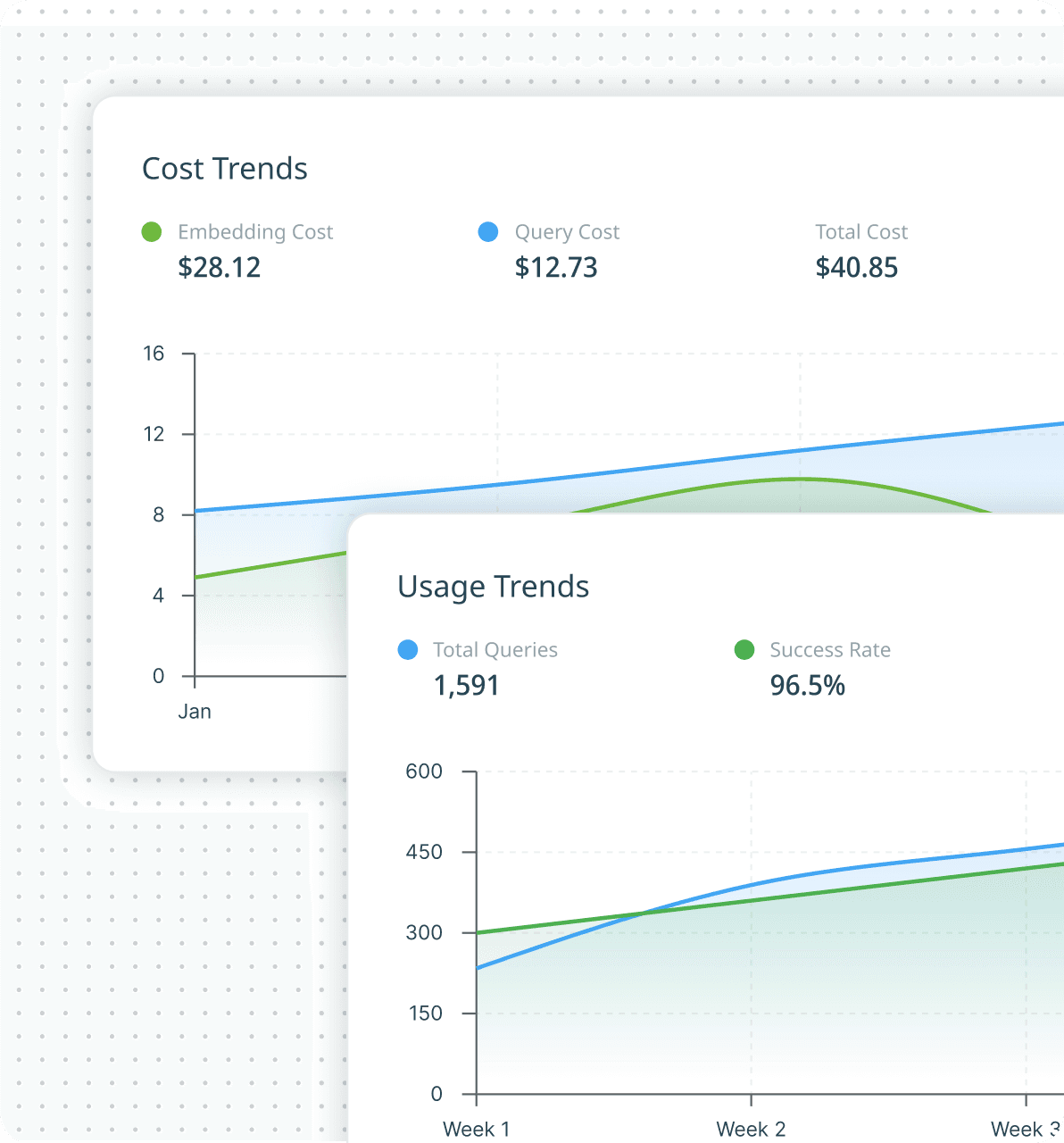
Cost & Usage Trends
Model Usage Monitoring
Performance Monitoring
Resource Monitoring
Assistant-Level Analytics
Exportable Reporting
Designing the Identity of Intelligence

Naming: "Knowledge Base"
We intentionally avoided technical or intimidating terms such as “RAG assistant” or “AI bot.” Knowledge Base felt enterprise-familiar and trustworthy—positioning the experience as a curated source of intelligence rather than an experimental chatbot.

Color language
The interface extends Cropin’s signature green–blue gradient system to visually distinguish AI interactions from the core product interface. The visual language signals intelligence and approachability while remaining grounded in Cropin’s brand ecosystem.

AI tone design
The conversational tone was designed to feel warm, contextual, and expert-led rather than robotic or instructional. Responses were crafted to resemble guidance from an experienced agronomist-clear, supportive, and actionable. Designed to feel like expert advice, not a manual.

Iconography
The icon was designed as a metaphor for knowledge made intelligent-combining a book (trusted information) with a sparkle element representing AI-powered assistance. Rather than using a generic chat symbol, the identity positions the feature as a knowledge system, not just a chatbot.
Where AI Lives in the Product
Designing discoverable, contextual entry points across workflows
The Knowledge Base was designed to feel like a natural extension of work, not a separate destination. Instead of asking users to navigate elsewhere, AI appears where work already happens - contextual, accessible, and non-disruptive.
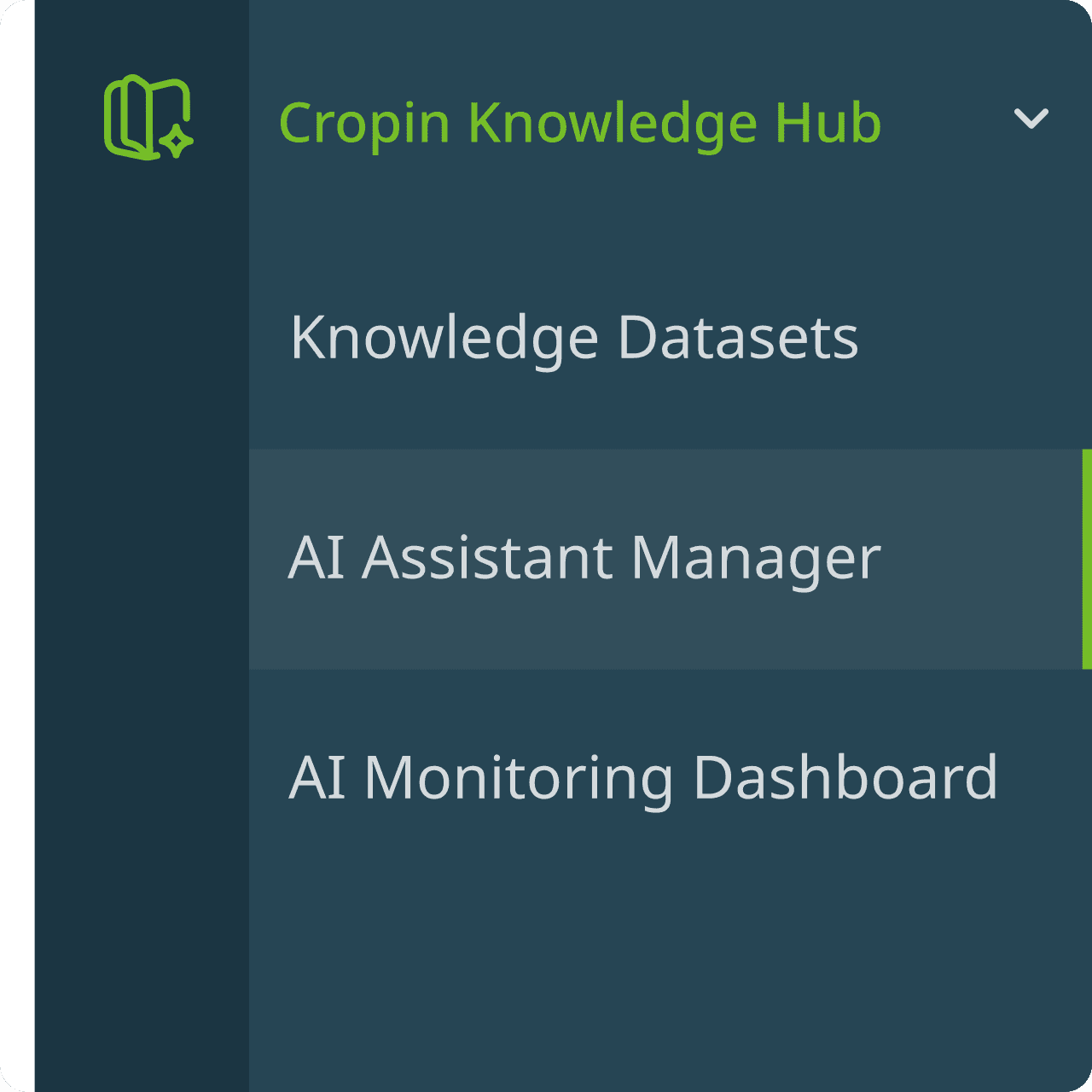
Cropin Knowledge Hub - Centralized AI governance
All AI capabilities were grouped under a dedicated Cropin Knowledge Hub in the left navigation, creating a single entry point for setup, deployment, and governance. From one centralized space, admins can create knowledge datasets, configure AI assistants, and monitor usage, cost, and performance—making enterprise AI management structured, scalable, and easy to navigate.
Design decision:
Rather than scattering AI settings across the platform, the hub model created a clear configure → deploy → monitor workflow for admins.
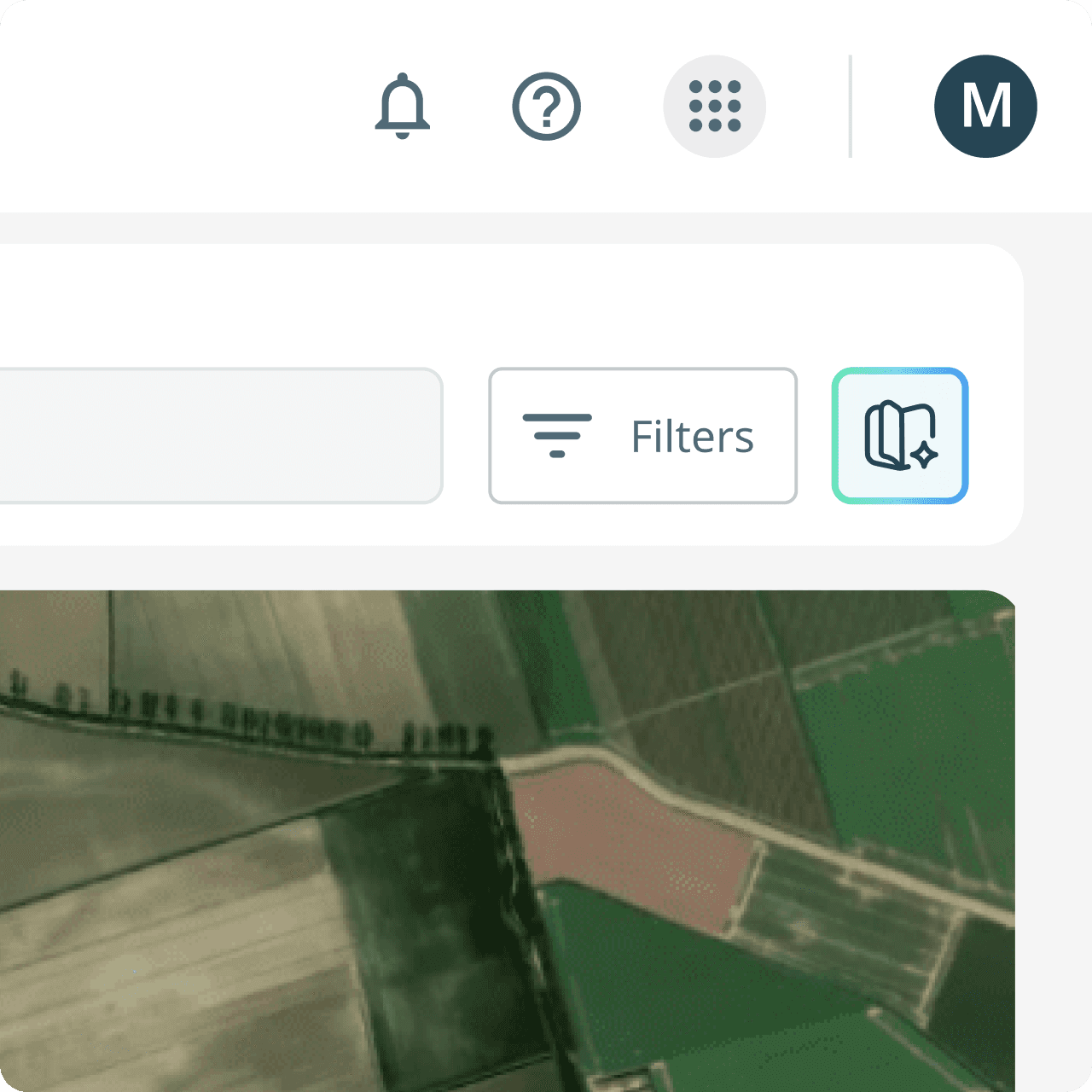
Cropin Cloud - Toolbar AI access
The Knowledge Base is accessible directly from the Cropin Cloud toolbar, making AI consistently available without disrupting workflows. Opening as a contextual side panel allows users to query knowledge while continuing to work with maps, dashboards, and project data in the same view.
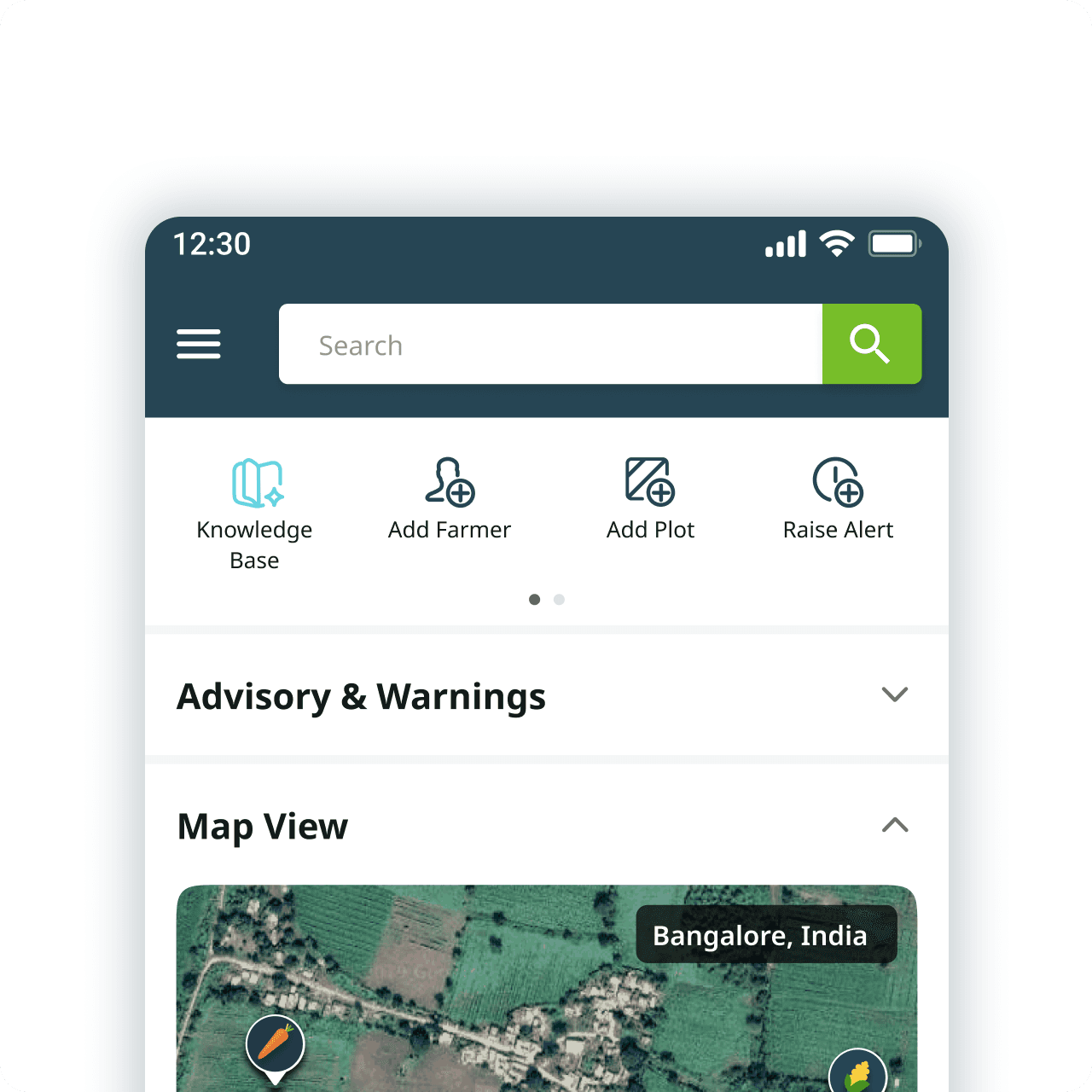
Cropin Grow / Connect - Home screen quick action
On mobile, the Knowledge Base is positioned in the home screen quick-action bar for immediate access during field work. Placed alongside core actions, it enables fast, in-context support—making AI feel like a natural field companion rather than a separate destination.
Testing & Validation
Designing With, Not For
We tested early, often, and with real users – from internal critiques to beta customers across three continents.
Three Rounds of Testing
Round 1
Internal design critique
PM, tech lead, and 2 domain agronomists reviewed lo-fi flows. Focus: information architecture, terminology, and admin flow sequence.
Output: Simplified dataset creation form; moved RAG params to advanced section.
Round 2
Internal user testing
5 internal users (CS, sales, product) tested hi-fi prototypes on web and mobile. Task-based: "Configure an assistant, then use it to answer a crop query."
Output: Added active dataset chip in chat; improved citation panel expand UX.
Round 3
Beta customer validation
Rolled out to 3 enterprise customers - 1 in India, 2 in Africa. 2-week beta with usage analytics and structured feedback sessions.
Output: Tone adjustments for farmer-facing text; added empty state guidance text.
Key findings from user testing
Finding
User Type
Design Response
"I don't understand what Top-N means"
Admin (non-technical)
Added tooltip with plain-language explanation: "Maximum number of document sections the AI reads before answering"
Users didn't notice the source citations initially
Field Agent, Agronomist
Made citation panel more prominent; auto-expanded first citation on fresh responses
"The AI tone feels too formal for farmers"
Customer success (proxy for farmers)
Updated system prompt guidelines; added "conversational, warm" to the tone spec
Admin confused about which datasets were assigned
Admin
Added "Selected: N dataset(s)" counter below slider in real-time
Voice input wasn't discoverable on mobile
Field Agent
Made the mic icon more visible by decluttering the input panel; added "Try asking with your voice" as onboarding nudge on first open
Outcomes
Goals met, measured and validated
Summary Metrics
Metric
Result
Enterprise customers in beta
3 (within 8 weeks)
Reduction in procedural support tickets
~40%
Knowledge datasets configured
6
AI assistants live per customer (avg)
2
First successful query (web)
<90 sec avg
Citation engagement
87% opened citations at least once/session
Cross-language support tested
Hindi, Swahili, English
LLM cost model
Validated within target budget
Goal Tracking - UX, Product, Business
UX
Product
Business
Goal
Success Criteria
Result / Validation
Zero-learning AI entry
First successful query without onboarding
Users completed first query in <90 sec avg
Source transparency builds trust
Citation visibility & usage
87% of beta users opened citations panel at least once/session
Cross-language accessibility
Multi-language support
Tested in Hindi, Swahili, English
Low cognitive load in field
Fast access during workflows
One-tap quick action integrated into Cropin Grow home screen
Faster answer retrieval
Reduce manual searching
Users moved from document searching to conversational retrieval
Learnings & Reflections
What stayed with me after the beta launch – beyond the metrics and screens.
What Worked Well
Citation‑first design was the right bet. Users didn’t just tolerate it – they relied on it. Trust isn’t built by saying “trust me” but by showing evidence.
Separating dataset creation from assistant configuration unlocked reusability. One knowledge base now powers multiple assistants without duplication.
Progressive disclosure respected both novice and power admins. No one felt overwhelmed, and no one felt locked out.Model consumption and cost
What I’d Do Differently
Involve admins earlier in configuration UI testing. They had strong opinions about parameter naming and default values. A quick lo‑fi walkthrough would have saved two rounds of iteration.
Prototype retrieval quality before high‑fidelity UI. Some UX polish couldn’t compensate for poor chunking or metadata issues. The “messy middle” (document structure, embedding quality) matters as much as the interface.
Deeper Lessons About AI Design
Lesson
Implication
AI is a co‑pilot, not the authority
Users need to verify. Design for verification, not just answer generation.
Transparency is a feature, not a footnote
Citations are not “nice to have” – they are the difference between trust and rejection.
Configuration is product experience
In B2B SaaS, admins want control, not magic. Hiding everything behind “auto” frustrates power users.
Empty states build or break trust
Saying “I don’t know” is better than hallucinating. Honesty preserves the relationship.
Field conditions are not edge cases
Low bandwidth, dirty hands, bright sunlight – these are the primary environment for many users. Design for them first, then scale up.
Personal Growth as a Designer
This project taught me to think beyond the screen. I started by sketching chat bubbles, but I ended by designing:
A knowledge architecture (datasets → assistants → interactions → governance)
A trust layer (citations, honest failures, tone)
A cross‑platform strategy (web config, mobile consumption)
I also learned to speak the language of RAG, vector search, and embedding costs – not to become an engineer, but to translate technical constraints into design decisions that users actually feel.
Most importantly, I saw that in agriculture, delay isn’t inconvenience – it’s risk. Designing for farmers and field agents means every second saved, every answer verified, every unclear phrase rewritten matters. That responsibility changed how I approach every project now.
What’s Next
Voice‑first interface expansion – Move beyond simple speech‑to‑text. Enable conversational voice interactions (follow‑up questions, confirmation dialogs, and voice‑only navigation) for truly hands‑free use in the field. Integrate with local languages and dialects for deeper accessibility.
Offline mode – Caching frequent answers for low‑connectivity regions.
Proactive alerts – “Based on your location and crop, here’s a pest advisory you should read.”
Tighter integration with satellite data – Ask “What’s the NDVI trend for my plot?” and get a chart + explanation.
“Users don’t adopt AI because it’s advanced. They adopt it when it becomes understandable, governable, contextual, and trustworthy. That was the real design challenge – and the most rewarding part of this project.”